How to set Sublime Text as default text editor? The only option I see is Pluma.
I'm using Mate Desktop on Fedora 19.
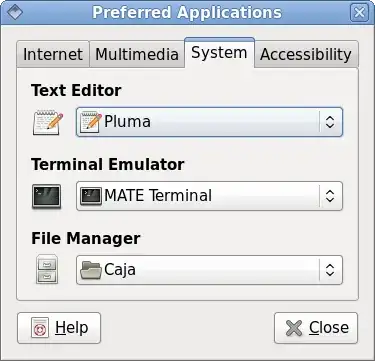
Edit: The Sublime Text executable (installed by hand, not a package) is at /home/matt/sublime_text_3/sublime_text.
How to set Sublime Text as default text editor? The only option I see is Pluma.
I'm using Mate Desktop on Fedora 19.
Edit: The Sublime Text executable (installed by hand, not a package) is at /home/matt/sublime_text_3/sublime_text.

The default file associations are set in either /usr/share/applications/defaults.list (global) or one of ~/.local/share/applications/mimeapps.list or ~/.local/share/applications/defaults.list.
For example, this is what I have on my system:
$ grep -e '\[\|plain' .local/share/applications/mimeapps.list
[Default Applications]
text/plain=pluma.desktop;
[Added Associations]
text/plain=emacs.desktop;pluma.desktop;
Changing the [Added Associations] line to
text/plain=sublime_text.desktop;emacs.desktop;pluma.desktop;
made sublime my default editor. Make sure that sublime_text correctly launches sublime if you run it from a terminal and that you have a .desktop file in /usr/share/applications/:
$ cat /usr/share/applications/sublime_text.desktop
[Desktop Entry]
Name=Sublime
GenericName=Text Editor
Exec=sublime_text %U
Terminal=false
Type=Application
StartupNotify=true
MimeType=text/plain;
Icon=/usr/share/icons/mate/48x48/apps/sublime_text.png
Categories=GTK;Utility;TextEditor;

Bumping this. @PersianGulf's suggestion led me to write this, and I think it might help people who are looking for this info (and you just replace "pluma" in app=pluma for whatever you're looking for:
app=pluma; gsettings list-recursively | grep -i $app | cat -n | grep -E $app
HOWEVER, I wasn't able to get Sublime to default for all unknown text files. sudo update-alternatives ... isn't working for me. But I'll update if I figure it out.

You should use gsettings command along with list-recursively parameters such as:
gsettings list-recursively |egrep -i editor
Then apply with set command with the given key you retrived.
enjoy with :
gsettings list-recursively
