I want to configure a VPN connection, so choose VPN Connections->Configure VPN..., and I get to the Network Connections dialog. But the Add button is disabled. How do I enable it?
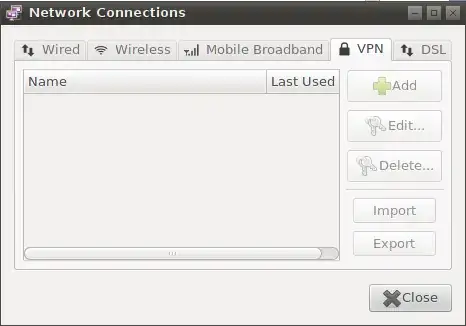
This sounds like your issue. I found it in this articled titled: Gnome Network Manager VPN Tab Disabled ( Greyed out ).
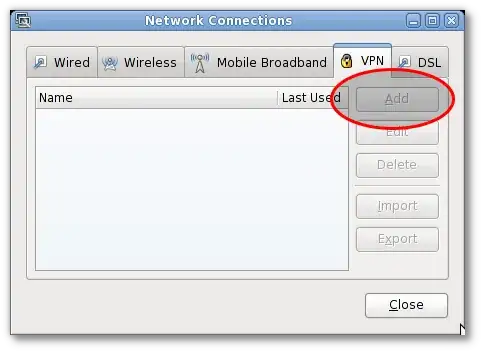
excerpt from the article
The Add tab is greyed out when required plugins are not installed for Gnome NetworkManager. The following plugins should be installed under Debian / Ubuntu Linux:
- network-manager-openvpn and network-manager-openvpn-gnome - network management framework OpenVPN plugin GNOME GUI
- network-manager-pptp and network-manager-pptp-gnome - network management framework PPTP plugin GNOME GUI
- network-manager-strongswan - network management framework strongSwan ipsec vpn plugin
- network-manager-vpnc and network-manager-vpnc-gnome - network management framework (VPNC plugin GNOME GUI)
To install all of the above plugins use the apt-get command as follows:
  $ sudo apt-get install network-manager-openvpn network-manager-pptp \
        network-manager-pptp-gnome network-manager-vpnc
The following plugins should be installed under RHEL / Fedora / CentOS / Scientific Linux / Red Hat Enterprise Linux desktop systems:
- NetworkManager-openvpn : NetworkManager VPN plugin for OpenVPN
- NetworkManager-pptp : NetworkManager VPN plugin for pptp
- NetworkManager-vpnc : NetworkManager VPN plugin for vpnc
To install all of the above plugins use the yum command as follows:
  $ sudo yum install NetworkManager-vpnc NetworkManager-pptp \
        NetworkManager-openvpn
Now, you can add vpn connection to your system using NetworkManager itself. You may need to restart the NetworkManager as follows:
$ sudo NetworkManager restart
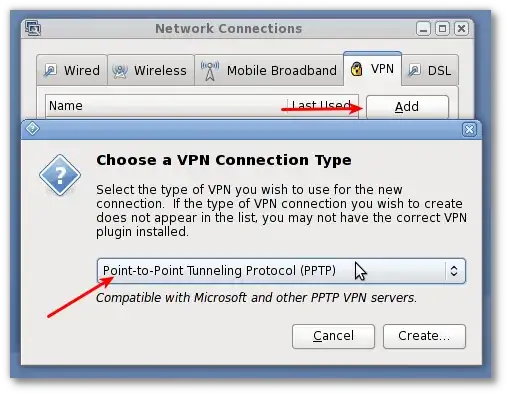

You have to install the network manager:
sudo aptitude install network-manager-vpnc
As well as the gnome client:
sudo aptitude install network-manager-vpnc-gnome


