3

I'm following this page: Creating Timelapse Videos With The Raspberry Pi Camera.

But every time I try to make the video, I get this error:
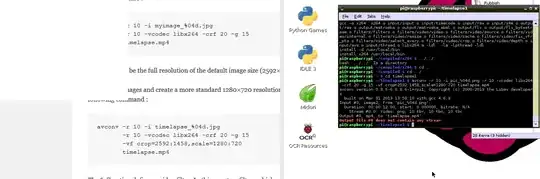
ss of error

original: https://i.stack.imgur.com/ApIJ0.png

Specifically this command from the output above:

$ avconv -r 10 -i pic_%04d.png -r 10 -vcodec libx264 -crf 20 -g 15 \
      -vf crop=2592:1458,scale=1280:720 timelapse.mp4
...
...
Output #0, mp4, to 'timelapse.mp4':
Output file #0 does not contain any stream

Also when using mencoder, following this page: 6.8. Encoding from multiple input image files (JPEG, PNG, TGA, etc.):
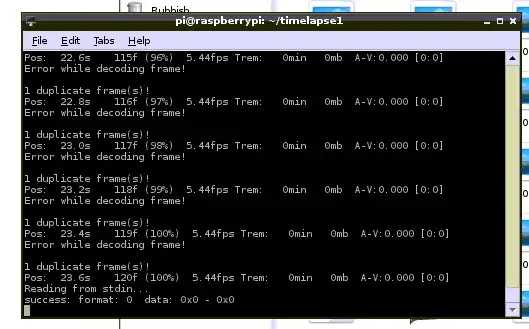
        ss of error

original: https://i.stack.imgur.com/svNLx.png

Can someone please help?

slm
  • 363,520
  • 117
  • 767
  • 871
Coolcrab
  • 133
  • 1
  • 4

1 Answers1

1

I just used this command to convert a stack of .jpg files to an .mp4 file using ffmpeg. The switches should be similar enough.

$ ~/ffmpeg -r 10 -i pics_series2/01-2013110216%02d00-snapshot.jpg -c:v libx264 \
   -crf 20 -g 15 -vf crop=200:300,scale=352:288 timelapse.mp4

Let me know if that worked. Also you can download the statically built version of ffmpeg so there's literally nothing to install. It's a .zip file which contains 2 executables, ffmpeg being one of them. That's what I used to do this here.

References

slm
  • 363,520
  • 117
  • 767
  • 871
  • It doesn't get `-c:v` – Coolcrab Nov 02 '13 at 22:40
  • @Coolcrab - I understand, but can you get a .mp4 video using my switches instead? Once we confirm this then I'd start to add back the switches until we isolate the troublesome one(s). BTW, `-c:v X` is an alias for `-vcodec X`. http://ffmpeg.org/ffmpeg.html – slm Nov 02 '13 at 23:13