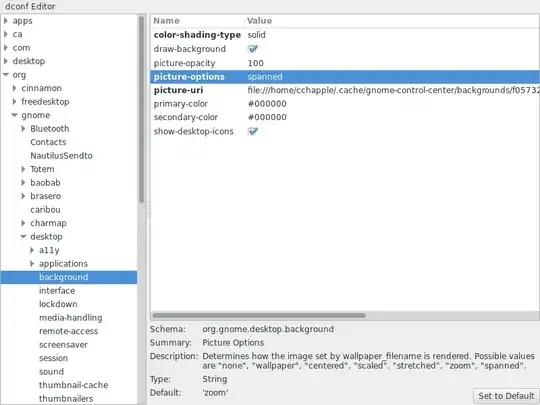
I'm running Fedora 19 (GNOME Shell 3.8.4). I have a dual monitor setup (two 1440 x 900), and I want to be able to stretch my wallpaper over the two monitors, like I was used to when using Ubuntu 12.04.
I don't want different wallpapers for each workspace, nor different wallpapers for each monitor (that would be pretty cool, but falls out of scope of the question). What I want is a 2880 x 900 (or any 3.2:1 proportional image) to be shown half on one monitor, and half on the other:
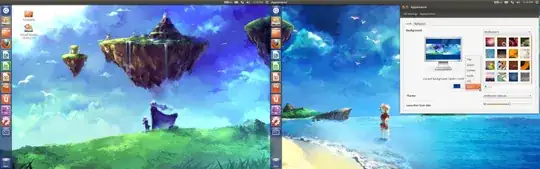
How I had set it on Ubuntu
If I boot with my 12.04 LiveUSB, it starts in "mirror displays" mode. I have to disable display mirroring (enable extended monitors) in order to have different images on each screen:
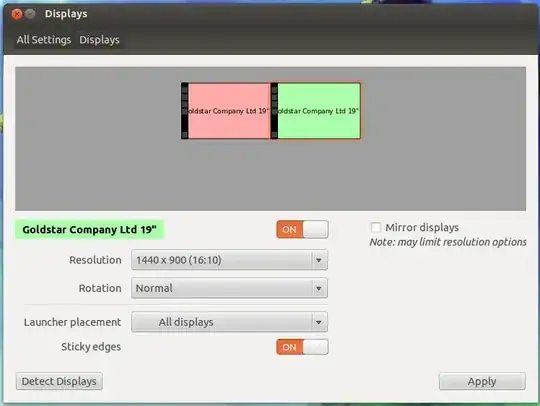
Then, I open the System Settings and on the Appearance section I can choose the background, and have several options. Chosing "span" (see the dialog on first image rightmost side) will have the background like I want it to be.
How I (don't) have it on Fedora
The System Setting screen doesn't have an "Appearance" icon, just a "Background" one, with no options at all. If I choose an image, it will be applied to each monitor repeatedly, like this: