53

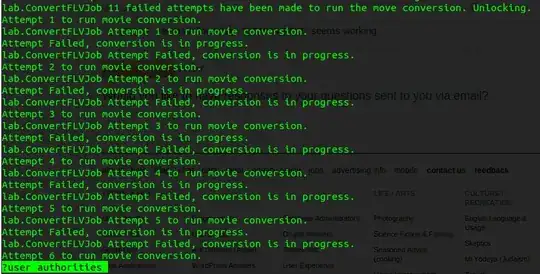
I am running an application with command $ grails run-app which prints log in terminal like below.
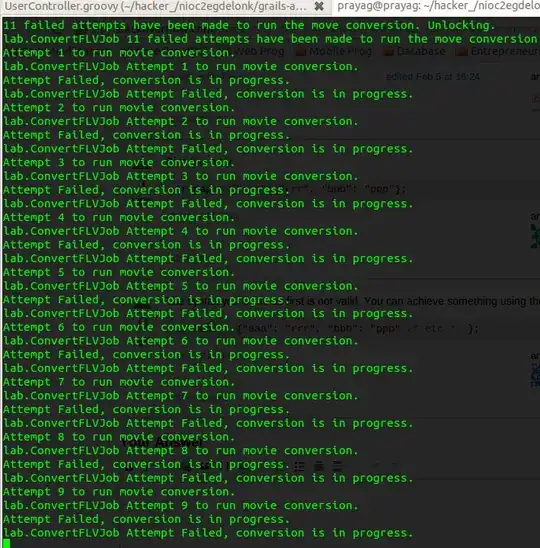
search_text_terminal

What I want is search a particular text (say user authorities) in this log so that I can verify further. One way using Logging Apis to write in text file but I want to search it in a terminal at the moment.

I found similar question at how to make search a text on the terminal directly which suggests screen command, but I have no idea how screen works in this case. I tried $ screen grails run-app but couldn't move ahead.

I can see screen lists with

prayag@prayag:~/zlab/nioc2egdelonk$ screen -list
There is a screen on:
    8076.pts-2.prayag   (10/06/2013 12:13:25 PM)    (Attached)
1 Socket in /var/run/screen/S-prayag.
prayagupa
  • 4,797
  • 12
  • 32
  • 38

6 Answers6

36

If you use Konsole (KDE terminal emulator), you can use Ctrl + Shift + F. This might work also in other (Linux) terminal emulators; it has been confirmed to work in GNOME Terminal, the Xfce terminal, Alacritty, and Terminator.

Stephen Kitt
  • 411,918
  • 54
  • 1,065
  • 1,164
Augustin
  • 473
  • 4
  • 6
  • @Augustin where did you find such shortcut? – user1868607 Apr 26 '21 at 12:55
  • @Rodrigo: See the Konsole Handbook: https://docs.kde.org/stable5/en/konsole/konsole/commandreference.html#edit-menu. Alternatively, if you have Konsole on your machine, have a look in the Edit menu – the keyboard shortcut should be listed next to the Find... entry. – Augustin Apr 28 '21 at 09:46
  • Working for Mobaxterm[Windows] ... Thanks mate – infiniteLearner Nov 16 '21 at 12:12
31

Ctrl+a (default screen command prefix), [ (enter copy mode) followed by ?SEARCH_TEXT seems to work. Press n to go to the next occurrence. From there, you can copy words, lines, regions, etc to dump into files or paste later on (with Ctrl+a, ]).

enter image description here

Stéphane Chazelas
  • 522,931
  • 91
  • 1,010
  • 1,501
prayagupa
  • 4,797
  • 12
  • 32
  • 38
13

You can use grep after the grails command: grails run-app | grep "user authorities". However, you will have to re-run your command.

Augustin
  • 473
  • 4
  • 6
Timo
  • 326
  • 2
  • 10
  • 3
    This answer shouldn't be voted down, its absolutely correct. – amrx Jun 01 '15 at 02:22
  • 6
    While correct, it's more useful to have something one can do *after* the output has already been printed. – Ludwik Sep 27 '16 at 13:13
  • 3
    @Baron I'm even pretty sure that the asker meant to imply that the command is already running, so this doesn't answer the question. – Nobody Jan 05 '18 at 21:44
6

Redirect output of your command to vim-editor: grails run-app | vim -

Several tips for search using Vim:

  • type / then enter your search string user authorities
  • type :set hlsearch to highlight search results
  • type n to search forward or Shift+n to search backward
  • remember you're in editor now, so if you did some changes accidentally you can revert, just press ESC once to exit edit-mode, then press u to undo one edit
  • type :q! to exit Vim and discard your search results
  • you can do whatever you want :-D http://vim.wikia.com/wiki/Vim_Tips_Wiki
graceman9
  • 161
  • 1
  • 2
3

Redirect the output to pipe and send it to a grep command:

grails run-app | grep user authorities
Stephen Rauch
  • 4,209
  • 14
  • 22
  • 32
Soniya
  • 39
  • 1
1

Use Shift+Ctrl+f to search in terminal.

Got this from the comment above by @Ja8zyjits.

This worked for me.

Fco Javier Balón
  • 1,144
  • 2
  • 11
  • 31
vpp
  • 111
  • 3