This is what I see in Nethogs:
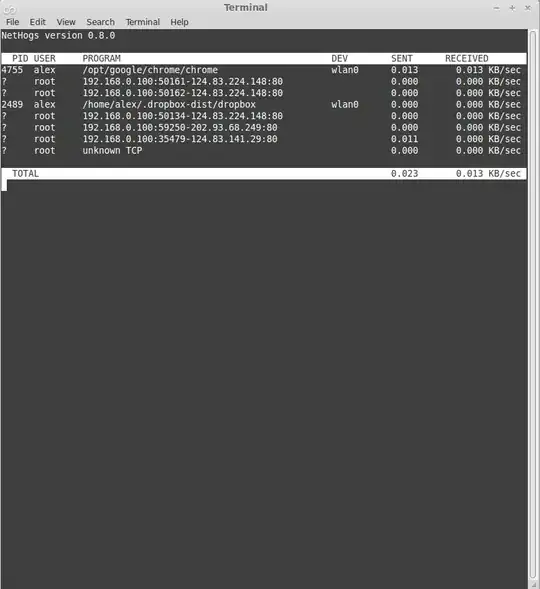
I'm concerned about the listings with PID ?, running as root. How can I find out what these are? I'm running Linux Mint 14.
Please let me know what other information I should include.
This is what I see in Nethogs:
I'm concerned about the listings with PID ?, running as root. How can I find out what these are? I'm running Linux Mint 14.
Please let me know what other information I should include.

Those are TCP connections that were used to make an outgoing connection to a website. You can tell from the trailing :80 which is the port that's used for HTTP connections to web servers, typically. After the 3 way TCP connection handshake has completed the connections are left in a "wait to close" state.
This bit is your local system's IP address and that's the port that was used to make the connection to the remote web server:
IP: 192.168.0.100 PORT: 50161
Here's output from my system using netstat -ant:
tcp 0 0 192.168.1.20:54125 198.252.206.25:80 TIME_WAIT
Notice the state at the end? It's TIME_WAIT. You can further convince yourself of this by adding the -p switch so we can see what process is bound/associated to this particular connection:
$ sudo netstat -antp | grep 192.168.1.20:54125
$
This shows that no process was affiliated with this.
