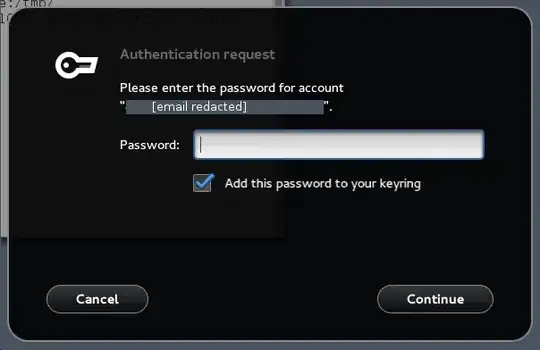
You can use xprop, available in the xorg-xprop package.
Just run xprop and select the password prompt window. As an example, xprop outputs the following information for my terminal emulator.
WM_STATE(WM_STATE):
        window state: Normal
        icon window: 0x0
WM_LOCALE_NAME(STRING) = "en_US.UTF-8"
WM_CLASS(STRING) = "screen-256color", "screen-256color"
WM_HINTS(WM_HINTS):
        Client accepts input or input focus: True
WM_NORMAL_HINTS(WM_SIZE_HINTS):
        program specified size: 564 by 340
        program specified resize increment: 7 by 14
        program specified base size: 4 by 4
WM_CLIENT_MACHINE(STRING) = "paradark"
WM_NAME(STRING) = "st"
WM_PROTOCOLS(ATOM): protocols  WM_DELETE_WINDOW
The WM_NAME field may be especially useful in your case.
xprop will not work if you are unable to select the window. You can use
xwininfo instead. xwininfo is
available in the xorg-xwininfo package. Here is an example of its usage:
$ xwininfo -display :0 -tree -root
xwininfo: Window id: 0x286 (the root window) "LG3D"

  Root window id: 0x286 (the root window) "LG3D"
  Parent window id: 0x0 (none)
     21 children:
     ...
     0x1a00001 "st": ("screen-256color" "screen-256color")  862x532+1056+546  +1056+546
     0x1600001 "st": ("screen-256color" "screen-256color")  1054x1065+-2112+13  +-2112+13
     0x600001 "st": ("screen-256color" "screen-256color")  862x532+-1728+546  +-1728+546
     0x400004 (has no name): ()  1x1+0+0  +0+0
If you need additional information about the window, use xprop with the window's ID.
$ xprop -display :0 -id 0x600001
WM_STATE(WM_STATE):
        window state: Normal
        icon window: 0x0
WM_LOCALE_NAME(STRING) = "en_US.UTF-8"
WM_CLASS(STRING) = "screen-256color", "screen-256color"
WM_HINTS(WM_HINTS):
        Client accepts input or input focus: True
WM_NORMAL_HINTS(WM_SIZE_HINTS):
        program specified size: 564 by 340
        program specified resize increment: 7 by 14
        program specified base size: 4 by 4
WM_CLIENT_MACHINE(STRING) = "paradark"
WM_NAME(UTF8_STRING) = "st"
WM_PROTOCOLS(ATOM): protocols  WM_DELETE_WINDOW