Input file is any pdf document. I want to have right side space for writing notes.
output.pdf looks like
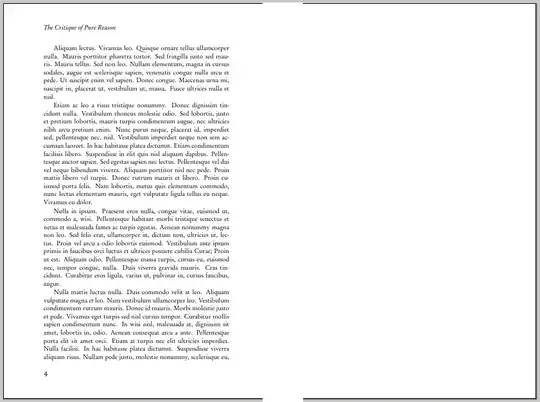 !
!
Input file is any pdf document. I want to have right side space for writing notes.
output.pdf looks like
!

For this you can combine pdftk and pdfnup:
First create a pdf with an empty page (with LibreOffice/OpenOffice, inkscape, (La)TeX, scribus, etc.) called empty.pdf
Then call in your shell or via a shell script:
INPUTPDF=input.pdf
NUMPAGES=$(pdftk "$INPUTPDF" dump_data | grep NumberOfPages | egrep -o '[0-9]*')
pdftk "A=$INPUTPDF" B=empty.pdf cat $(for i in $(seq $NUMPAGES) ; do echo A$i B1 ; done) output output.pdf
pdfnup output.pdf
mv output-nup.pdf output.pdf
The pdftk command line is expanded to:
pdftk A=input.pdf B=empty.pdf cat A1 B1 A2 B1 [...]

In addition to jofel's answer,
pdfjam also allows doing this directly, if you are creative with its options.
pdfjam --landscape --offset '-8cm 0cm' document.pdf
By default, --landscape without any nup option would center the page; using a negative offset you can move it to the left hand side as far as you like (optimal value will depend on your input).

The PyPdf library in Python makes it easy to rearrange pages in a PDF file. Here's a little script that rotates each page and shrinks it to half size. Warning: untested.
#!/usr/bin/env python
import copy, sys
from pyPdf import PdfFileWriter, PdfFileReader
input = PdfFileReader(sys.stdin)
output = PdfFileWriter()
for p in [input.getPage(i) for i in range(0,input.getNumPages())]:
    p.rotateClockwise(270)
    (w, h) = p.mediaBox.upperRight
    p.mediaBox.upperRight = (w/2, h/2)
    output.addPage(p)
output.write(sys.stdout)
