3

How do I ask 'which man file would you like to open?' in one command from the commandline, which will also open xterm at the same time. This is needed for a fluxbox menu item.

For it to be a fluxbox menu item, it must fulfil this format

[exec] (Which man page do you want to read?) {read -p 'which man file would you like to open? '; xterm -e man "$REPLY"}

where

  • [exec] - look out its an executable command
  • (Question) - title
  • {xterm -e man tmux} - command with this syntax
Gilles 'SO- stop being evil'
  • 807,993
  • 194
  • 1,674
  • 2,175
boudiccas
  • 393
  • 1
  • 4
  • 12

2 Answers2

3

You can open a man page in an xterm window using the following command:

$ xterm -e "man xterm"

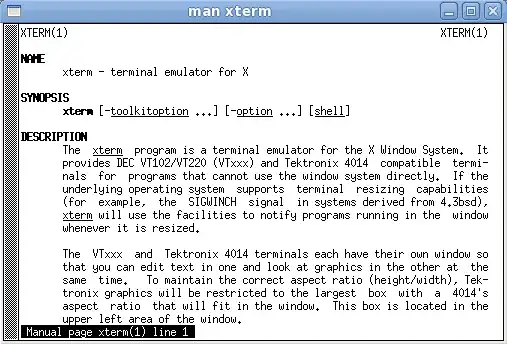
This will results in the man page for xterm being opened in its own window.

                 ss of man page in xterm

If you'd like to make it a single command that will do this you could create an alias like so:

$ alias gman='xterm -e man \!$'

And then use it like this:

$ gman xterm

Prompting for a man page

You could use the GUI toolkit zenity to open a dialog box asking for a man page to be typed in, then take what was typed in and use the above method to open the respective man page.

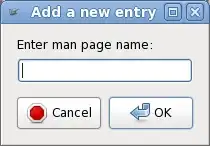
$ zenity --entry --text "Enter man page name:"

Resulting in this dialog being displayed:

                                                 ss of zenity dialog

A complete example

Putting the above together you could do something like this:

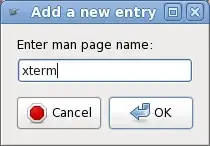
$ xterm -e man $(zenity --entry --text "Enter man page name:")

                                                 ss of zenity + xterm

slm
  • 363,520
  • 117
  • 767
  • 871
3

This will prompt for a manpage and open it in xterm:

read -p 'which man file would you like to open? '
xterm -e man "$REPLY"

This will run the prompt in a new instance of xterm:

xterm -e sh -c 'read -p "which man file would you like to open? " && man "$REPLY"'
  • For it to be a fluxbox menu item, it must fulfil this format - [exec] (Which man page do you want to read?) {read -p 'which man file would you like to open? '; xterm -e man "$REPLY"} where [exec] = [look out its an executable command], (Question) = [title], and {xterm -e man tmux} = [command with this syntax] And unfortunately I cant massage this to work in the menu item – boudiccas Jul 29 '13 at 03:14
  • @user205787: Could you please [add that to your question](http://unix.stackexchange.com/posts/84761/edit)? Newlines are stripped from comments. –  Jul 29 '13 at 03:25
  • @user205787: I have edited my answer to include another possibility. –  Jul 29 '13 at 03:47
  • Unfortunately the second reply just creates a second instance of xterm with 'sh' in its title bar and showing the terminals border but nothing else. The innards are completely blank and see-through! I've tried using other terminals but none of them work. I've also tried running it from the cli, and the xterm window appears and then, quick as a flash, it disappears again. It stays just long enough for the brain to register it before disappearing again. – boudiccas Jul 29 '13 at 09:44
  • @user205787: What shell do you use? –  Jul 29 '13 at 13:16
  • GNU bash, version 4.2.45(1)-release (i486-pc-linux-gnu), urxvt, xterm, termit,eterm. – boudiccas Jul 29 '13 at 16:44