How does one find and replace text in all open files with geany?
Asked
Active
Viewed 8,769 times


1 Answers
12
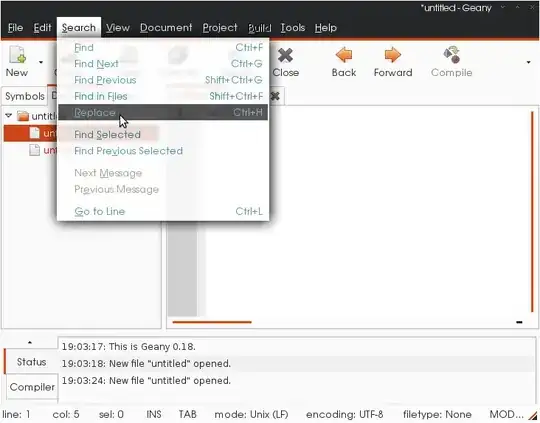
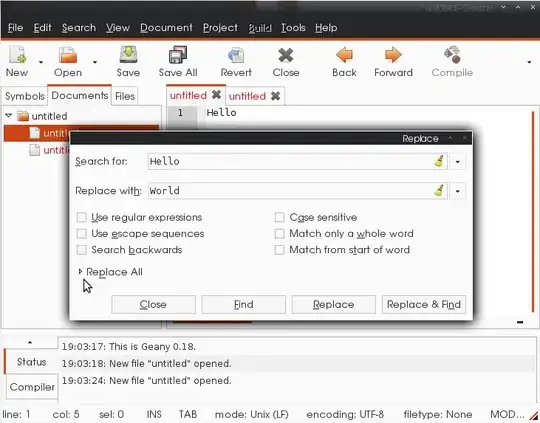
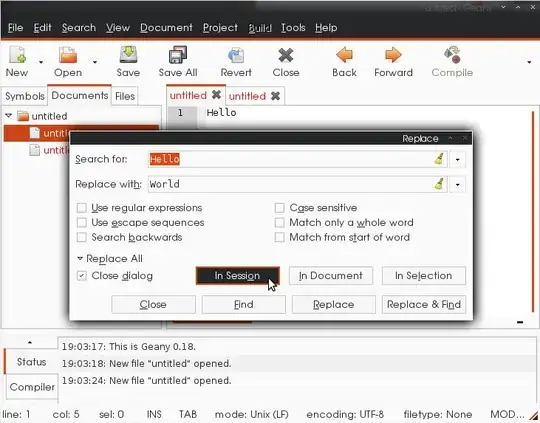
Menu Search->Replace (or Ctrl+h). Fill in find and replace boxes, expand Replace All, click In Session
Step-by-step:
Select "Replace" from Search menu.
Expand "Replace All"
Click "In Session"


Shawn J. Goff
- 45,338
- 25
- 134
- 145