2

The screen program fully controls what's displayed. For example the scrollback buffer is not the one of the terminal.
I don't like the idea to have a separate set of commands, and a separate set of settings for exactly the same goal. This also forbid me to copy/paste 200 line from the scrollback buffer into a text editor, to use the mouse, etc.

Is there a way to tell screen to just record what's displayed, and let the terminal do the job ?
Or maybe another program instead of screen ?

Gregory MOUSSAT
  • 1,098
  • 6
  • 18
  • 30
  • I agree this is a duplicate. And not workable solution (the given solution is a trick. Still impossible to select 200 lines with the mouse or use scrollbars, and many other things). – Gregory MOUSSAT Jun 02 '13 at 19:47
  • Are you just looking for tools like [script](http://man7.org/linux/man-pages/man1/script.1.html) and its [scriptreplay](http://man7.org/linux/man-pages/man1/scriptreplay.1.html) counterpart? – Patrice Levesque Jun 02 '13 at 19:38

1 Answers1

0

If you want an alternative to screen there is always tmux. Main site is here.

If you don't want screen to buffer the scroll back it's the option:

screen -S testsession -h 0

or in the .screenrc file add the line:

defscrollback 0

With this option in place I was able to scroll back in my terminal using Shift + Page Up and Shift + Page Down.

EDIT #1

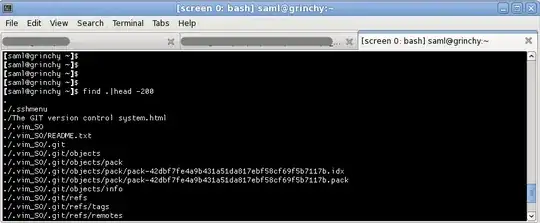
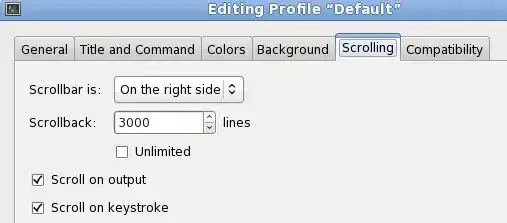
This option most definitely works for me on Fedora 14 with screen version 4.0.3-15 on GNOME 2.32. When I do this I'm in a gnome-terminal window which has the scroll back configured for 3000 lines.

            ss of gnome-terminal scrollback

In my terminal I run the following command:

screen -S blahblah -h 0

Once in screen if I do the typical Ctrl+A + Esc My window changes to this, but I can't scroll back.

ss of gnome-terminal scrollback w/ screen

However if I run a find command in this same terminal, I can definitely scrollback using just the Shift+Page Up/Down keys:

ss of find scrolled back

slm
  • 363,520
  • 117
  • 767
  • 871