5

I have dialog installed, where I would like to have a nice progress dialog, like this:

+-------[ title ]--------+
|                        |
| +-[ console output ]-+ |
| | output line11      ^ |
| | output line12      | |
| | output line13      | |
| | output line14      # |
| | output line15      | |
| | output line16      v |
| +--------------------+ |
| #########80%#####::::: |
+------------------------+

So, for example when upgrading 5 packages in a distro, it shows the progress (here, 4 package is upgraded out of 5 ie. 80%), but shows the detailed output of the executed commands. Is this possible?

I suspect it is, but I cannot get a working solution with --tailboxbg and --gauge.

pihentagy
  • 448
  • 4
  • 9
  • This kind of complex dialogs can be generated using [`gtkdialog`](http://code.google.com/p/gtkdialog/). Sorry, no detailed hints on exactly how, as I didn't managed yet to make it work on my system. – manatwork May 28 '13 at 10:04

2 Answers2

9

Right, you can do it with --gauge:

#!/bin/bash
declare PACKAGES=("/etc/crontab"  "/etc/dmtab"  "/etc/fstab"  "/etc/inittab"  "/etc/mtab")
NUM_PACKAGES=${#PACKAGES[*]} # no. of packages to update (#packages in the array $PACKAGES)
step=$((100/$NUM_PACKAGES))  # progress bar step
cur_file_idx=0
counter=0
DEST=${HOME}
(
# infinite while loop
while :
do
    cat <<EOF
XXX
$counter
$counter% upgraded

$COMMAND
XXX
EOF
    COMMAND="cp ${PACKAGES[$cur_file_idx]} $DEST &>/dev/null" # sets/updates command to exec.
    [[ $NUM_PACKAGES -lt $cur_file_idx ]] && $COMMAND # executes command

    (( cur_file_idx+=1 )) # increase counter
    (( counter+=step ))
    [ $counter -gt 100 ] && break  # break when reach the 100% (or greater
                                   # since Bash only does integer arithmetic)
    sleep 10 # delay it a specified amount of time i.e. 1 sec
done
) |
dialog --title "File upgrade" --gauge "Please wait..." 10 70 0

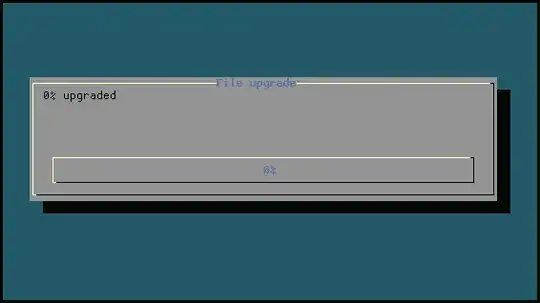
This code in action:

            progress bar animation

Note. This code actually copies those five files from /etc/ into your $HOME folder.

J. A. Corbal
  • 1,727
  • 1
  • 12
  • 15
  • 1
    Thanks, I was aware of this possibility, however, I'd like to have a solution, where I can view the full output of the commands run. – pihentagy May 27 '13 at 12:21
  • 1) As `bash` does only integer arithmetic, is possible to not reach a total of 100 due to the truncated steps. 2) That indented here-document will fail to execute. 3) Initializing the counter with the number of packages is out of logic. 4) The parenthesis `()` around the `while` is pointless. 5) You have typo too: NUM_PACAKGES. – manatwork May 27 '13 at 12:25
  • @manatwork Thanks for your clarification. I've tested the code and then updated. – J. A. Corbal May 27 '13 at 14:21
  • 1
    Nice answer, but I would like to see all outputs, so in this case all the cp commands (very long list), and able to scroll back – pihentagy May 28 '13 at 09:57
  • I've tested the code and I see that only prints the commands really it does not copy anything, is it the expected behaviour of gauge widget? – sebelk May 23 '14 at 03:33
  • I am amazed that nobody have noted that such a script only prints the "$COMMAND" but it does not execute it. If you'd want to really run it, $COMMAND must be below EOF. And you may want to copy ${PACKAGES[$cur_file_idx]} above second XXX ones characters. – sebelk May 23 '14 at 10:02
1

You're right about using --tailboxbg together with --gauge, but these have to listen to different file descriptors and be in the right order (--tailboxbg first)

Change double underscore __MACROS__ with relevant content

let total=__GET_MAX_COUNT__
let idx=0
let percent=0
let width=$(tput cols)
let height=$(tput lines)
log=$(mktemp --tmpdir dialog-progress.logXXX)

(for __LOOP__; do
cat <<EOF
XXX
$percent
Processing item $index ($percent %)
XXX
EOF
     let idx++
     let "percent = 100 * idx / total"
     __COMMAND__ >> $log
 done
) | dialog \
        --title "Dialog example progress with command output" \
        --begin 12 2 \
        --tailboxbg $log $((height - 14)) $((width - 6)) \
        --and-widget \
        --begin 2 2 \
        --gauge "Converting ..." 8 $((width - 6)) 0