In CentOS and Ubuntu, how do I find out how much free disk space I have left and other disk stats like disk usage?
Asked
Active
Viewed 1.5e+01k times


4 Answers
62
Type the following command:
df -h
df: disk free-h: makes the output human-readable

Can Sürmeli
- 249
- 1
- 3
- 12

static
- 888
- 1
- 9
- 9
-
best answer without the need to install additional software! – Patoshi パトシ Feb 26 '19 at 19:19
-
df stands for disk filesystem – Typo Jan 31 '20 at 20:42
31
I covered this pretty extensively in a blog post titled: Command Line Tools for Analyzing Disk Usage on Fedora/CentOS/RHEL.
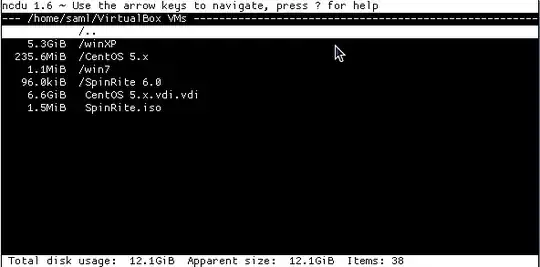
ncdu
It’s ncurses based, feature rich and has a nice clean interface and it works from within a shell.
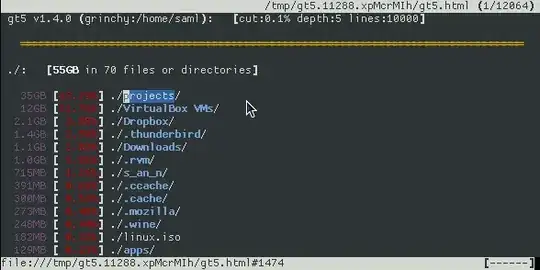
gt5
- display diskspace used by files & directories within a directory
- display what’s happened since the last ran (see screenshots below)
- optionally provides links to the files, so you can also browse them
- displays entries with their size & the percentage of their parent
- ommits small files/directories
- easy browsing using the cursor-keys
- produces html files for browsing ‘offline’ afterwards
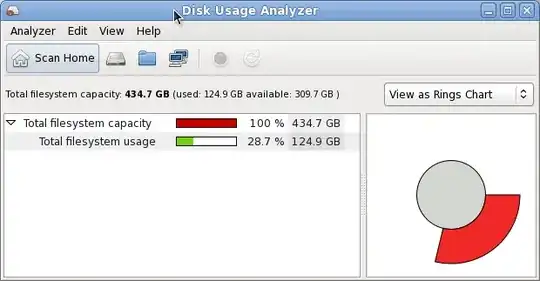
Disk Usage Analyzer (aka. Baobab)
- Single folder scan
- Remote scan
- Monitoring of Home
- Display Data in Treemaps or as Ringschart
others...
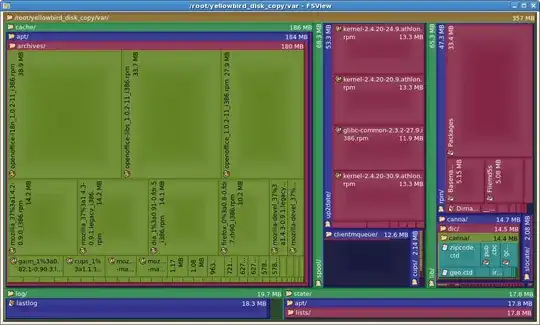
In particular fsview is a very nice GUI. I like how it organizes the disk usage visually. It’s actually a KDE application (a plugin to Konqueror) but runs just fine under GNOME. It’s typically part of a package called kdeaddons, and shows up in the Applications menu as “File System Viewer” under Accessories.

slm
- 363,520
- 117
- 767
- 871
-
Thanks, if anyone comes across additional tools please feel free to drop me a note, I'm always interested in finding other tools in this space! – slm Apr 27 '13 at 16:44
-
@slm, may be you can add `cdu` as well over here. I have mentioned it in the other question's answer. http://unix.stackexchange.com/a/151684/47538 – Ramesh Aug 22 '14 at 21:34
-
1Thanks, I thought the konqueror plugin is forever dead, but there you found it! – dhill Nov 27 '14 at 11:19
-
-
-
8
There are a few commands you can use like df, du, and a few more. Just man a few commands to find out how to use them. If you still have a problem finding what you need after that just go to any directory and do this:
sudo du --max-depth=1 | sort -nr
You'll get something like:
2318764 ./usr
777036  ./var
328316  ./lib
222620  ./etc
86136   ./boot

pullsumo
- 382
- 1
- 5
- 10
5
In Ubuntu dfc shows a coloured output of your mounted devices and is available via apt:
sudo apt-get install dfc
output like this:

Unfortunately this is not available for CentOS as an rpm.

rubo77
- 27,777
- 43
- 130
- 199
-
this Q is asking about CentOS options, dfc is not in any RH repos for either CentOS or Fedora. I already checked this earlier today when I saw your Q showing it 8-). If you google for "dfc rpm" you'll see that no hits show up too. It's just not a popular app on either of these distros, hence my extensive list in my A. – slm Aug 23 '14 at 00:19
-
But he asks"in centos and Ubuntu" but thanks for the hint I edited my answer – rubo77 Aug 23 '14 at 06:02
-