How to Use Mozilla Firefox, Portable with flash plugin
Make your firefox portable for Linux (all versions):
Download the latest release of Firefox and unpack it on your usb device: http://ftp.mozilla.org/pub/mozilla.org/firefox/releases/
Go to unpack_directory/firefox/browser/plugins (firefox 22+).
Add a short link to your installed flash-plugin binary (libflasplayer.so). It's usually in /usr/lib64/flash-plugin/.
Optionally: Download the UNIX version of the flash-plugin binary from adobe.com and copy it from the archive. Please remember: the flash-plugin is a binary file, no compilation process is needed!
1. Copy the firefox directory to your portable device
2. Create a simple shortcut:
Here's my startup.sh that I have placed on my usb device ($PWD is the current directory (example: USB_DEVICE/firefox_x64).
#!/bin/sh
"$PWD/firefox_x64/firefox" -no-remote -profile
"$PWD/../.mozilla/firefox/YOUR_PROFILE_ID"
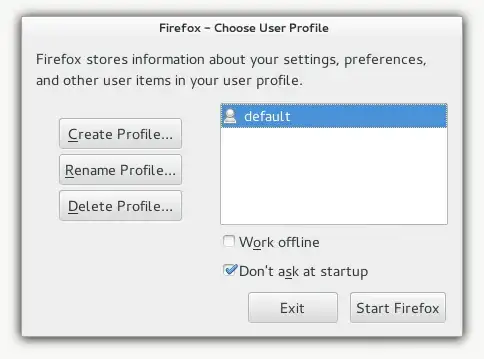
3. Run firefox with command line to create a new profile:
You can create a new profile with the -P command as shown below.
I've created my profile inside USB_DEVICE/.mozilla/firefox. You can set this path later. This is Mozilla's default folder skeletton for application settings (like seamonkey, thunderbird or B2G). To create a new profile run:
[user@home]# cd /USB_DEVICE/firefox_x64
[user@home firefox_x64]# ./firefox -no-remote -P
FAQ: How to use the new USB profile with windows:
For Windows just use the Portable Firefox from portableapps.com and run the same commands (step no. 3, simply add the -profile command to the executable .exe).


