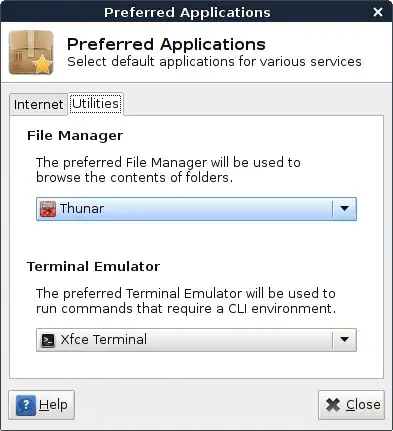
The reason Thunar starts by default in xfce is because xfce comes out of the box already in agreement with Thunar as it's default file manager. This dependency is not written in mimetype, but rather as a dbus service.
You can test this yourself by starting this command in a new terminal:
dbus-monitor --session interface=org.freedesktop.FileManager1
In a new terminal, open a file with this command (replace /home/user/folder/or/file.ext with an actual file or folder path):
dbus-send --session --print-reply --dest=org.freedesktop.FileManager1 --type=method_call /org/freedesktop/FileManager1 org.freedesktop.FileManager1.ShowItems array:string:"file:///home/user/folder/or/file.ext" string:""
In the first terminal, you will see that the request is processed by dbus and Thunar might open.
Some briefing
Linux has no real concept of a "default" file manager - no that's a Windows artifact, or "default" handler of mimetypes for that matter. It is really all about how your system is configured.
Mimetypes are great and work about 90% of the time, but many modern applications are beginning to shift to using dbus and only fallback to mimetype-based filtering if dbus fails to find an appropriate file manager.
More specifically, there exists a dbus interface called org.freedesktop.FileManager1 which any dbus service can implement. Now whenever an application which makes use of dbus wants to open a file, they simply send a message via dbus, and dbus will completely bypass whatever mimetypes you have set in place and instead invoke the first service it finds with the name org.freedesktop.FileManager1.
Solution(s)
In fact for many of us, it may be impossible to simply uninstall Thunar, so I propose two ways of dealing with this annoyance:
- The first way is to simply tell dbus to block all attempts made to use
org.freedesktop.FileManager1. Your applications will now be forced to use mimetypes.
The way to do that is to create a file called /etc/dbus-1/session-local.conf, with the content:
<?xml version="1.0" encoding="UTF-8"?>
<!DOCTYPE busconfig PUBLIC "-//freedesktop//DTD D-Bus Bus Configuration 1.0//EN"
 "http://www.freedesktop.org/standards/dbus/1.0/busconfig.dtd">

<busconfig>
  <policy context="default">
    <!-- Block all usage of org.freedesktop.FileManager1 for opening files -->
    <deny send_interface="org.freedesktop.FileManager1" send_destination="org.freedesktop.FileManager1"/>
  </policy>
</busconfig>
Now reload dbus with:
dbus-send --session --print-reply --dest=org.freedesktop.DBus --type=method_call /org/freedesktop/DBus org.freedesktop.DBus.ReloadConfig
After reloading dbus, every application will now be forced to either use mimetypes or fail to open a particular file.
- The second option is less dramatic.
Instead of blocking all org.freedesktop.FileManager1 calls, you may find that your preferred file manager implements the org.freedesktop.FileManager1 interface already and you want to force xfce to use that.
You can do this by creating a symlink from that service (in /usr/share/dbus-1/services) to $XDG_DATA_HOME/dbus-1/services/org.freedesktop.FileManager1. (XDG_DATA_HOME usually defaults to ~/.local/share)
Indeed Nautilus implements this interface. See my answer here.
Now, your favourite file manager will be used instead of the default one in xfce.
Hope that helps. Happy configuring!
References