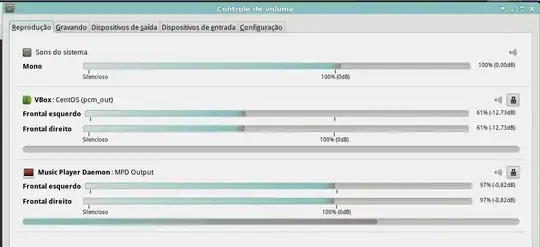
I am trying to use mpd with PulseAudio output. Thus I wrote the following in /etc/mpd.conf:
music_directory "/mnt/dados/Musicas"
playlist_directory "~/.mpd/playlists"
db_file "~/.mpd/mpd.db"
log_file "~/.mpd/mpd.log"
pid_file "~/.mpd/mpd.pid"
state_file "~/.mpd/mpdstate"
user "renan"

audio_output {
   type         "pulse"
   name         "MPD Output"
}

mixer_type         "software"
mpd is running as user renan. However, I get no output; appears this in mpd.log:
Feb 15 20:24 : output: Failed to enable "MPD Output" [pulse]: pa_context_connect() has failed: Connection refused
Feb 15 20:24 : output: Failed to enable "MPD Output" [pulse]: pa_context_connect() has failed: Connection refused
Feb 15 20:24 : output: Failed to enable "MPD Output" [pulse]: pa_context_connect() has failed: Connection refused
Feb 15 20:24 : output: Failed to enable "MPD Output" [pulse]: pa_context_connect() has failed: Connection refused
Feb 15 20:24 : output: Failed to enable "MPD Output" [pulse]: pa_context_connect() has failed: Connection refused
Feb 15 20:24 : output: Failed to enable "MPD Output" [pulse]: pa_context_connect() has failed: Connection refused
If I try to use ALSA by adding the lines below to /etc/mpd.conf, mpd works but it blocks the audio device: if I open any other software that plays sound it will be unable to play sound, and vice-versa.
audio_output {
   type         "alsa"
   name         "My ALSA Device"
   device         "hw:0,0"
   format         "44100:16:2"
}
The rest of my system has no problem outputting audio through PulseAudio. What am I doing wrong?
I run x64 Arch Linux and have the following MPD/PulseAudio related packages installed:
lib32-libpulse 3.0-1
libmpd 11.8.17-1
libmpdclient 2.7-1
libpulse 3.0-2
mpd 0.17.3-1
mpdscribble 0.22-6
pulseaudio 3.0-2
pulseaudio-alsa 2-2
python2-mpd 0.3.0-4