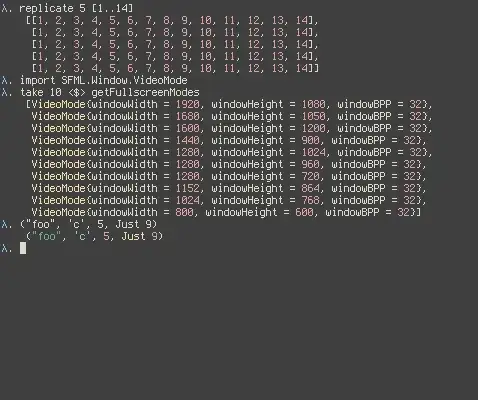
Using this method to get a pretty GHCI colours, I am not getting any colours whatsoever. However, my terminal is a urxvt with 256 colours enabled and TERM is xterm-256color. Any idea what I could have missed?
My ~/.ghci reads:
import qualified IPPrint
import qualified Language.Haskell.HsColour as HsColour
import qualified Language.Haskell.HsColour.Colourise as HsColour
import qualified Language.Haskell.HsColour.Output as HsColour

let myColourPrefs = HsColour.defaultColourPrefs { HsColour.conid = [HsColour.Foreground HsColour.Yellow, HsColour.Bold], HsColour.conop = [HsColour.Foreground HsColour.Yellow], HsColour.string = [HsColour.Foreground HsColour.Green], HsColour.char = [HsColour.Foreground HsColour.Cyan], HsColour.number = [HsColour.Foreground HsColour.Red, HsColour.Bold], HsColour.layout = [HsColour.Foreground HsColour.White], HsColour.keyglyph = [HsColour.Foreground HsColour.White] }

let myPrint = putStrLn . HsColour.hscolour (HsColour.TTYg HsColour.XTerm256Compatible) myColourPrefs False False "" False . IPPrint.pshow

:set -interactive-print=myPrint
:set -XNoMonomorphismRestriction
:set prompt "λ "
The prompt should look like this: