When your hard disk is connected, open a command line and type sudo blkid to list all available partitions. Graphically, you can see them with GParted.
Locate the partition that you wish to mount.
Once you know know it (something like "/dev/sdc1"), open Veracrypt GUI, choose a slot for mounting, and provide the path to the encrypted volume in the "Volume" field. For example, here I would mount /dev/sdc1 on the 5th Veracrypt mount point:
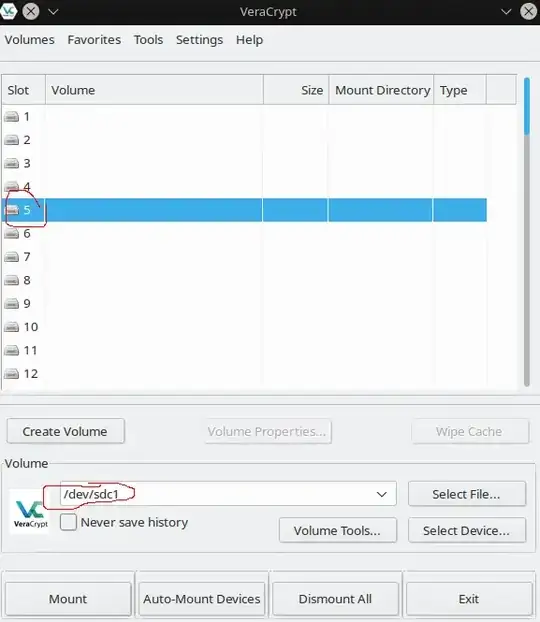
Click "Mount", provide the password / PIM / keyfile in the new popup as needed. It should make the job.
You can achieve the same result with command line :
veracrypt -t /dev/sdc1
You will then be prompted for other options : password, keyfiles, PIM...
You can also specify a mountpoint if you don't wish to take the first available Veracrypt mountpoint:
veracrypt -t /dev/sdc1 /mnt/veracrypt5
Please note that /mnt/veracryptX is where Veracrypt mounts volumes in openSUSE. It might differ for Fedora...


