I have a debian machine which I installed proxmox onto. I have been having trouble getting one of my guest machines (specifically a windows guest) to achieve a resolution of 1366x768. The solution in this post didn't work for me.
Asked
Active
Viewed 7,249 times


1 Answers
6
By default Proxmox uses a basic graphics driver for virtual machines. But this isn't very useful for running desktop operating systems as the range of resolutions and other display options is limited.
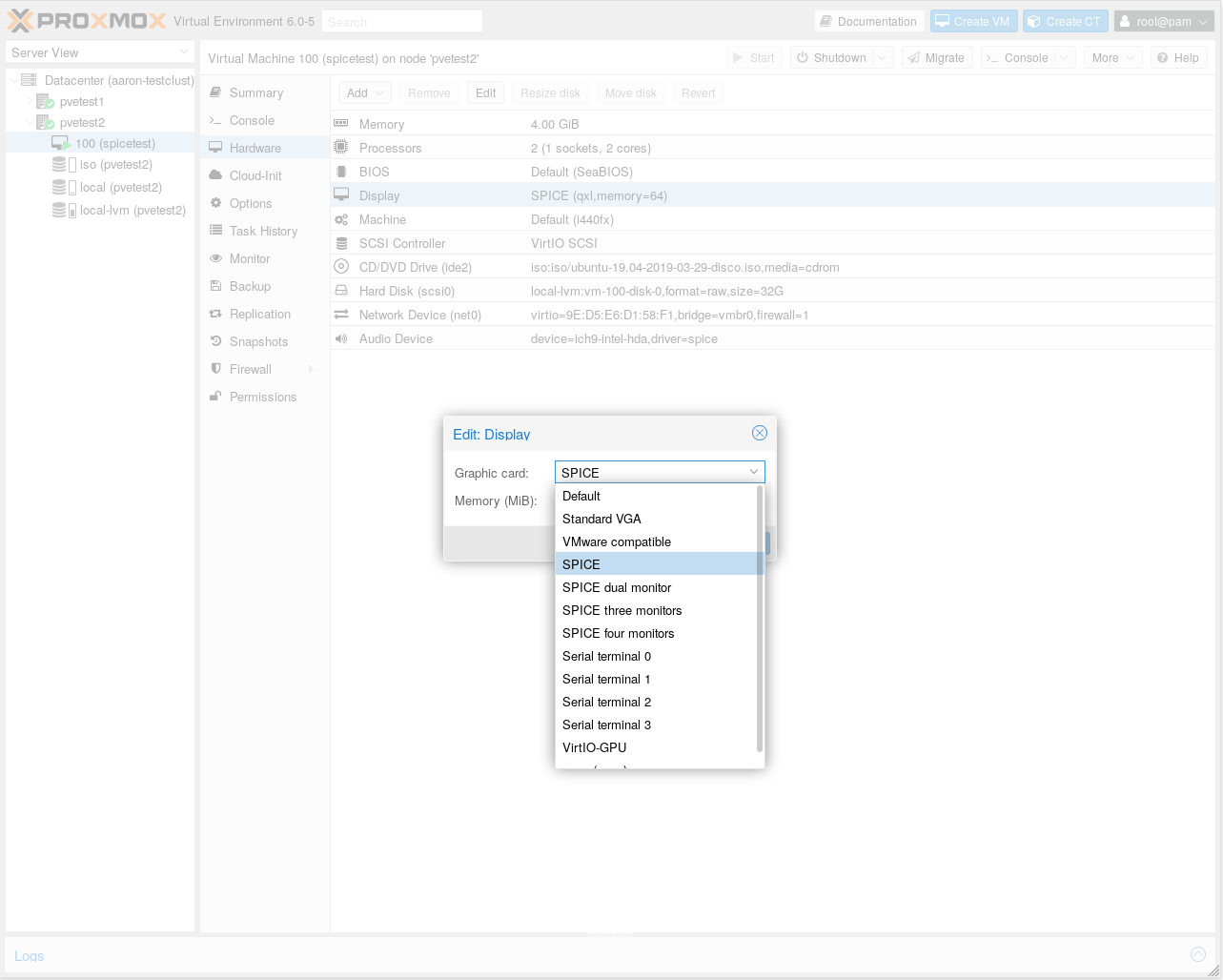
To get more flexibility, you should change your Proxmox VM to use the SPICE protocol. This will allow you a much larger selection of display resolutions, including 1366x768, up to a maximum of 2560x1600.
To do this, you should:
- Install the SPICE Guest Tools Windows package in the VM. (Linux already includes these drivers; skip this step for Linux VMs.)
- Shut down the VM.
- Change the Graphic Card to SPICE in the Proxmox virtual machine configuration.
- Start the VM.
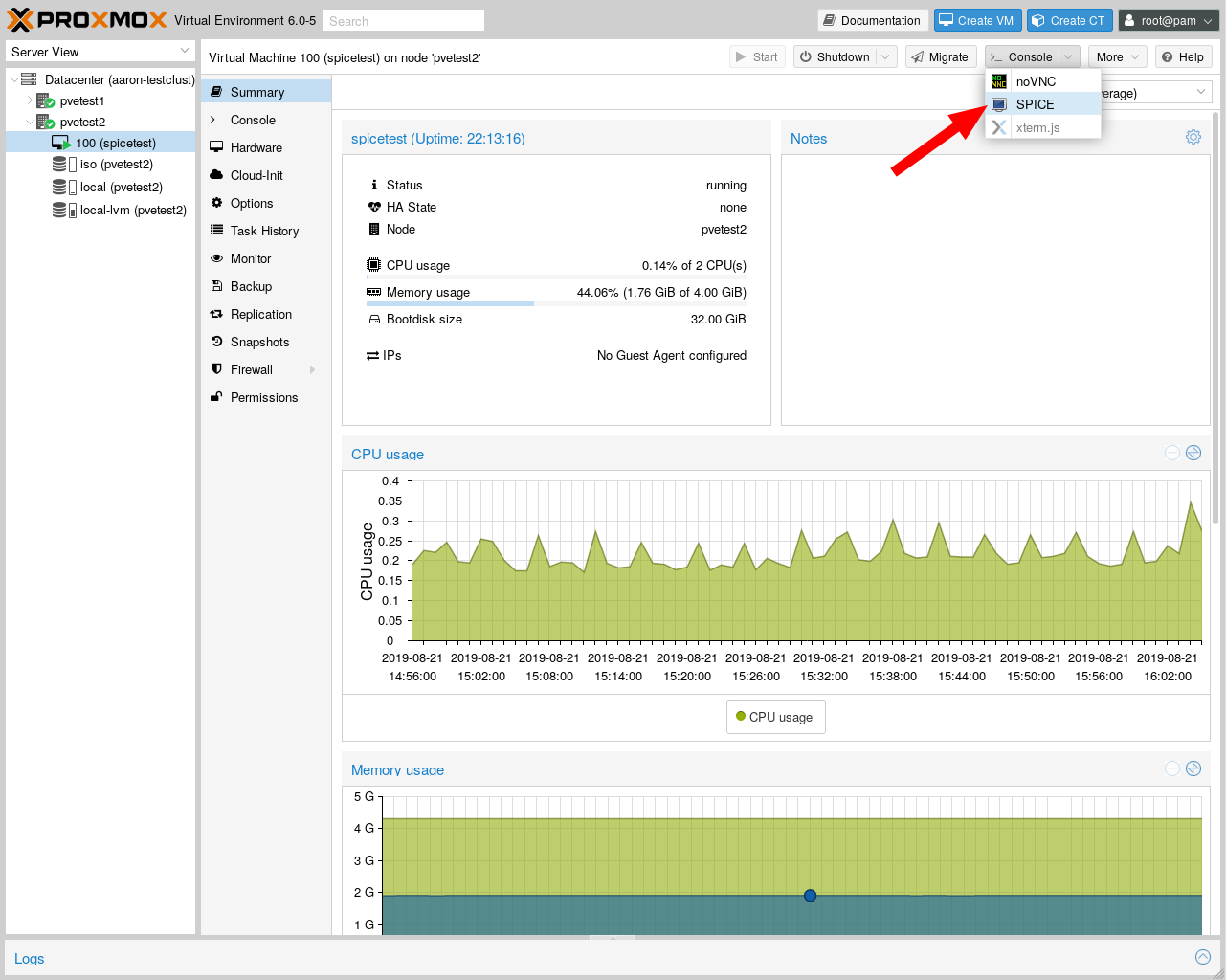
Now you can connect to your VM's virtual console using the SPICE console link.

Michael Hampton
- 8,658
- 2
- 31
- 54
-
Well I am on Debian as well, running qemu-kvm and when I select SPICE graphics in the virt-manager, i don't get support for 1366x768 resolution in my VM (deepin). – 71GA Jun 12 '19 at 09:46
-
@71GA changing the resolution on linux guests should be much easier than on windows guests even without a custom driver. Take a look here: https://askubuntu.com/questions/377937/how-to-set-a-custom-resolution. If that doesn't work I would encourage you to comment on that post stating that their solution didn't work. – ktb92677 Jun 12 '19 at 17:56
-
@ktb92677 Well on Windows client I installed the "Windows spice guest tools" and after reboot I got a range of all possible resolutions, while I struggle on Linux... So I can't agree. While I managed to create my own resolution with a help of your link, the resolution is not working. So on Windows client it really is easier. – 71GA Jun 13 '19 at 06:12
-
1@71GA Linux VMs don't like to set their horizontal resolution to any number which is not a multiple of 8, such as 1366. I have never heard of a good solution for this, but you can try 1360x768 as a workaround. – Michael Hampton Jun 13 '19 at 06:28