This doesn't answer your question directly, but it's a possible workaround to the problem.
I had this problem when trying to combine two different PDF scans together that were scanned by different parties:
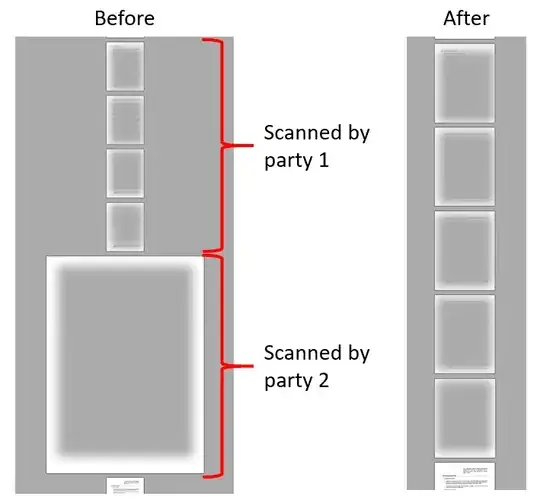 For PDF files that allow printing, you can select the "Print to PDF" option from the printers dropdown menu and use the print dialog's scaling options to adjust the size accordingly:
 In my case, I used Foxit Reader and the "Fit to printer margins" option, which scaled the page down to 22.5% of the original size. You can configure the printer to whatever paper size you need in the properties dialog window. After the new PDFs are generated, you can concatenate the pages as you would normally.
One downside to this method is that the text will no longer be selectable/searchable (it's essentially been converted to an image). The same applies to any fillable form fields/buttons/checkboxes. This is likely not an issue if you are dealing with scanned PDF pages. If you still need the text to be selectable/searchable you can use an OCR tool to recognize the text (there are free tools available online and many paid versions of PDF viewers/editors have this feature)


