I'm running GNOME 2.30 (Squeeze) and have lost my Volume Control applet. I can't find it in my Add to Panel window.
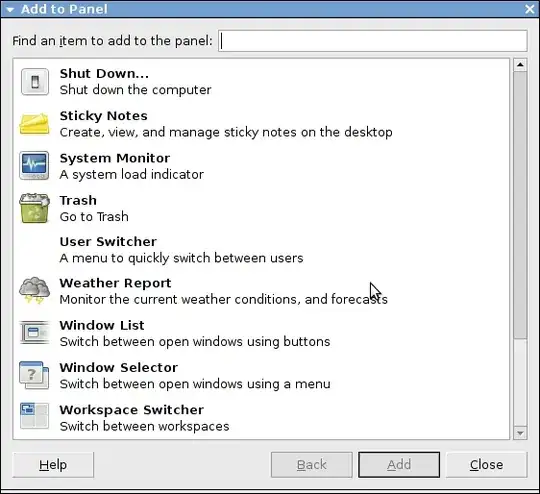
[update] Note that the Volume Control applet appears again in the window, and I have no idea what fixed the issue.
I'm running GNOME 2.30 (Squeeze) and have lost my Volume Control applet. I can't find it in my Add to Panel window.
[update] Note that the Volume Control applet appears again in the window, and I have no idea what fixed the issue.


Add to Panel > Indicator Applet
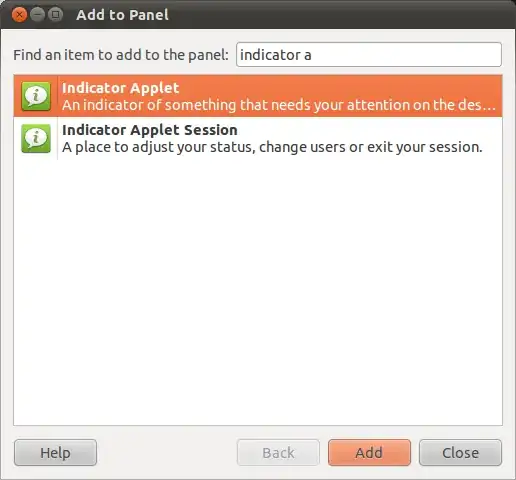
OR
Alt + F2 and run this: gnome-volume-control-applet
Also, add gnome-volume-control-applet to System > Preferences > Startup Applications

It's called mixer_applet2 and should be part of the gnome-applets package. On Debian Squeeze, it should be installed as /usr/lib/gnome-applets/mixer_applet2. I'm not using Debian, but it shows up as Volume Control in my Add to Panel dialog.
You might try reinstalling gnome-applets.

I guess it is now under 'Indicator applet' or something like that. Lost my too, but got it back.
