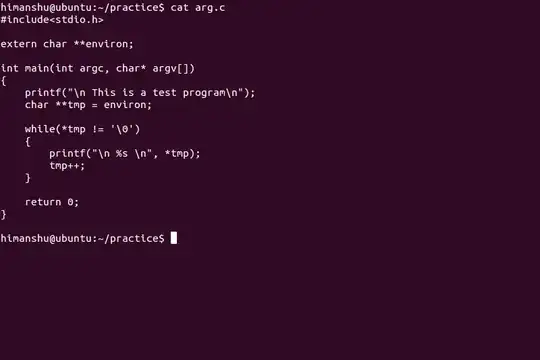
 I want to change color of the main command line. Just the first and last ones.
The command I've called and the prompt line that waits to new command.
When I've called a command and it returns some stuff, I'm lost in those! I want to highlight the main line and the new line.
If I can reposition the main line it would be great too!
I'm not sure if it's clear enough, sorry for my bad English.
I want to change color of the main command line. Just the first and last ones.
The command I've called and the prompt line that waits to new command.
When I've called a command and it returns some stuff, I'm lost in those! I want to highlight the main line and the new line.
If I can reposition the main line it would be great too!
I'm not sure if it's clear enough, sorry for my bad English.
Asked
Active
Viewed 380 times
1

Gilles 'SO- stop being evil'
- 807,993
- 194
- 1,674
- 2,175

de Broglie
- 11
- 1
-
1You want to color the `PS1` variable. You can't color the output of `cat` – OneCricketeer Apr 21 '17 at 22:49
-
1`export PS1="$(echo -ne "\e[1;33m$PS1\e[0m")"` might work just to colorize the prompt without changing its content. – DopeGhoti Apr 21 '17 at 23:15
-
As a funny alternative you can have a kind of colored cat using colored grep : `grep --color '.*' file` – George Vasiliou Apr 22 '17 at 00:25
-
@DopeGhoti That would only work if there are no backslashes in `$PS1`, which is unlikely. – Gilles 'SO- stop being evil' Apr 22 '17 at 20:59
-
@StephenRauch That thread only explains how to colorize the prompt, not how to colorize the command line. – Gilles 'SO- stop being evil' Apr 22 '17 at 21:01