When inserting a formula into LibreOffice, there is a whole lot of padding between it and other words. How can I modify the formatting of formulas to make the padding much smaller?
LibreOffice 3.3.1
When inserting a formula into LibreOffice, there is a whole lot of padding between it and other words. How can I modify the formatting of formulas to make the padding much smaller?
LibreOffice 3.3.1
LibreOffice applies a default frame style named Formula to formula objects. It has AutoSize activated by default, and also a default padding. It should be sufficient to modify that frame style.
To do so, open the stylist using F11 and select the Frame Styles. It's the third button from left:
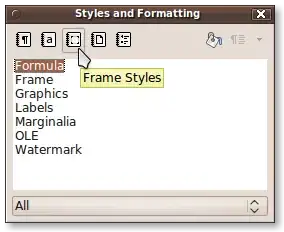
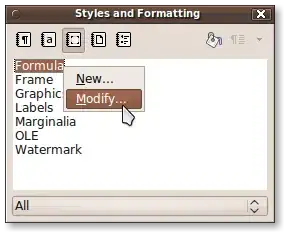
Now, select the Formula style, right click and Modify:
Now, you can edit the details applying to every formula object in the current document, for example the space around the formula:
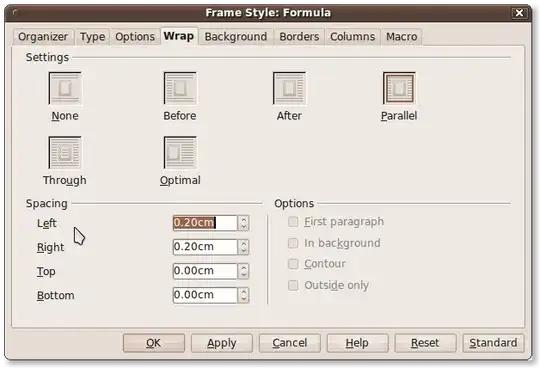
In addition, you could modify the formula object directly; under Wrap tab, it has some default spacing values.


