0

I am interested in image the internal HDD and backup just the filesystem file as backups. My external HDD is 2TB while 100 GB is only used in my internal HDD. Both methods are welcome here.

Code and situation

$ ls -la /dev/sdb
brwx---rwx 1 root disk 8, 16 Jul 13 10:44 /dev/sdb
$ sudo chmod 777 /dev/sdb

I start the Backups program in GUI of Debian 8.1 which is probably Deja Dup. I set the Buffalo 2TB disc the back file disc. I run backup but I get this window about permission denied although I have 777 as permissions.
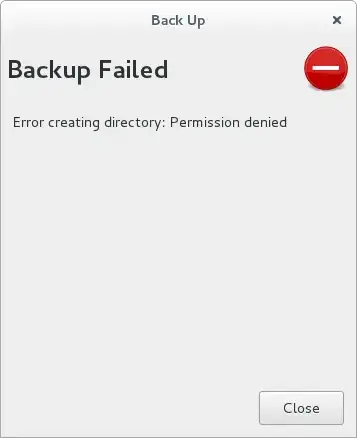
enter image description here

The command mount gives this output

/dev/sdb1 on /media/masi/_linuxDisc type xfs (rw,nosuid,nodev,relatime,attr2,inode64,noquota,uhelper=udisks2)

Changing permissions after mjturner's answer

$ ls -la /media/masi/_linuxDisc/
total 4
drwxr-xr-x  2 root root    6 Jul 12 19:42 .
drwxr-x---+ 3 root root 4096 Jul 13 10:44 ..
$ sudo chmod 755 /media/masi/_linuxDisc/
[sudo] password for masi: 
$ ls -la /media/masi/_linuxDisc
total 4
drwxr-xr-x  2 root root    6 Jul 12 19:42 .
drwxr-x---+ 3 root root 4096 Jul 13 10:44 ..

which shows no effect of chmod. Why?

How can you set correct permissions for the backup in Debian 8.1?

Léo Léopold Hertz 준영
  • 6,788
  • 29
  • 91
  • 193

1 Answers1

2

To write to your removable disk, you need to change the permissions of the location where /dev/sdb is mounted and not the permissions of the /dev/sdb device itself.

I see from your mount output that it's mounted on /media/masi/_linuxDisc - change the permissions of that directory and then instruct Deja Dup to use that as your backup target. Don't instruct Deja Dup to use /dev/sdb as the backup target. Ideally, you should create a directory below /media/masi/_linuxDisc (eg, backups, adjust the permissions on that and then back up to /media/masi/_linuxDisc/backups).

For example:

$ su -
# cd /media/masi/_linuxDisc
# mkdir backups
# chmod backups 755

Note: only root can write to that new backups directory. If you're backing up an entire disk, you should run your backup as root so that all files are backed up correctly and permissions preserved. I don't know Deja Dup, but I assume that is possible.

mjturner
  • 7,082
  • 1
  • 26
  • 32
  • I added the output of `mount` to the body of question. I would like to be able read/write to the disc also when I am just plugging it in. It should be possible. I think a filesystem-level backup is more appropriate but I think to image the disk would be great because the external HDD is 2TB while the internal HDD is just used 100 GB. Both methods would be interesting. – Léo Léopold Hertz 준영 Jul 13 '15 at 08:05
  • I added to the body how I changed the permissions unsuccessfully. Any idea why? – Léo Léopold Hertz 준영 Jul 13 '15 at 08:13
  • I think the owner of the folder has to be changed from `root:root` to `masi:masi` to get the thing work in GUI. Yes! Works now! Thank you for your answer! – Léo Léopold Hertz 준영 Jul 13 '15 at 08:16