Elementary's default file manager, Files, has single-click to open enabled by default. For those who prefer double-click to open, how can this setting be disabled?
Asked
Active
Viewed 1.3k times
2 Answers
11
For Freya, apparently installing Elementary Tweaks and changing the setting there works:
apt-get install elementary-tweaks
Then, access the Settings Menu and click on the Tweaks Icon.
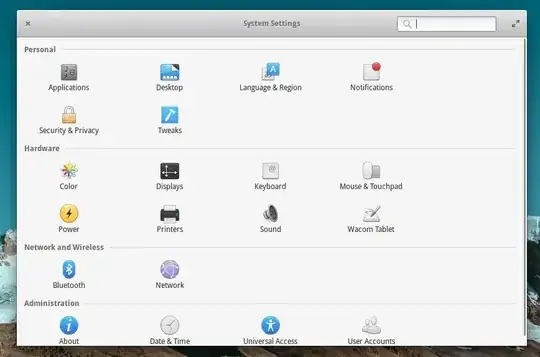
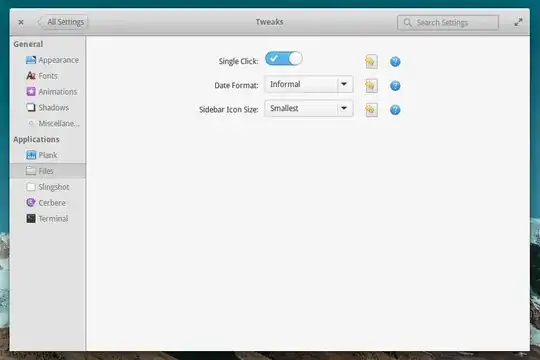
You can then toggle Single Click on/off as you like.
Unfortunately, this didn't work for me, and the setting immediately toggled back on as soon as I exited the settings menu.
I had better luck with the following command:
gsettings set org.pantheon.files.preferences single-click false

Huey
- 281
- 1
- 2
- 10
-
1`No such schema “org.pantheon.files.preferences”` – Nato Boram Feb 28 '19 at 23:33
9
Newer pantheon-files needs:
gsettings set io.elementary.files.preferences single-click false

Justin Zobel
- 91
- 1
- 1
-
-
Just did that (installed on Manjaro) and it works. However, coming from OSX, I am wondering if it is possible to make it behave so that a single click on a folder (in column view) opens, but single clicks on files don't. Enjoying Linux immensely but still struggling to find a file management app that feels comfortable to me. – bvz Oct 21 '18 at 19:19