One solution would be to assign a keyboard shortcut for that kwin action. Open systemsettings => shortcuts and gestures and choose Global Keyboard Shortcuts in the left panel, and on the right pane select KWin at the KDE component dropdown menu.
And for the button, if you only want to trigger built-in functions, that is pretty easy to add, you can also configure that in systemsettings => workspace appearance. Click on Configure Buttons ... at the bottom, and enable Use custom titlebar button positions. Then simply drag&drop the actions to the place where you want it on the titlebar, and add spacers as needed.
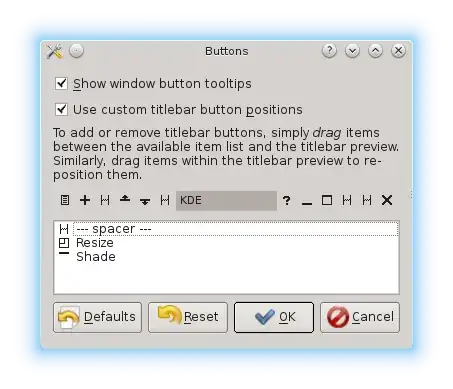
See also http://www.linuxbsdos.com/2012/07/04/how-to-custmize-kdes-window-titlebar-buttons/ for a detailed description with screenshots.
If you want to add custom actions, you might need to have a look into the KWin scripting facilities:
If you would really want to add a custom button to the titlebar, you would need to customize or create the window decoration in an existing or new theme for that.


