4

This is on a fresh Debian 6 testing install on my U100Plus MSI Wind netbook, running with Xfce desktop environment.

My laptop's wireless connection works flawlessly in Xubuntu without manual intervention, so it is somewhat annoying it doesn't work out of the box with Deb 6 testing, Xfce.
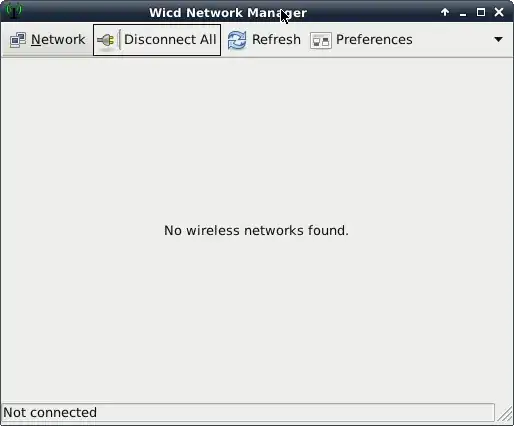
enter image description here

peter@msideb:~$ sudo iwconfig
[sudo] password for peter: 
lo        no wireless extensions.

eth0      no wireless extensions.

wlan0     IEEE 802.11bgn  ESSID:off/any  
          Mode:Managed  Access Point: Not-Associated   Tx-Power=0 dBm   
          Retry  long limit:7   RTS thr:off   Fragment thr:off
          Encryption key:off
          Power Management:off

The bottom line is I want the wireless connection to be automatically established like on Ubuntu. I don't want to have to think about it. It should be automated and hopefully not involve editing configuration files and manually adding processes to start up.

Here's the output of my network scan:

$ sudo iwlist scan
[sudo] password for peter: 
lo        Interface doesn't support scanning.

eth0      Interface doesn't support scanning.

wlan0     Interface doesn't support scanning : Network is down
tshepang
  • 64,472
  • 86
  • 223
  • 290
ptrcao
  • 5,455
  • 11
  • 36
  • 44
  • 1
    the `iwlist` output you present shows that you failed to use it properly. You must first do `ifconfig wlan0 up` and then `iwlist wlan0 scan`. – rozcietrzewiacz Sep 13 '11 at 13:08

1 Answers1

1

One possibility is that your wireless card needs firmware to operate which you haven't installed. Check your dmesg for warnings about firmware, and install the relevant firmware-linux-nonfree package or one of its dependencies if that's the case.

tshepang
  • 64,472
  • 86
  • 223
  • 290
jmtd
  • 9,255
  • 2
  • 25
  • 26
  • It says interface doesn't support scanning on all three counts; see above output. For wlan0 it says "network is down"... Seems doubtful since my sisters PC is wirelessly connected and she can use the net with no dramas. What must be wrong? – ptrcao Sep 08 '11 at 14:51
  • That supports the hypothesis that it is a firmware issue. Did you check your `dmesg`? Did you install `firmware-linux-nonfree`? Do you know what model your wifi card is (try `lspci|grep -i network`)? – jmtd Sep 09 '11 at 09:25
  • It says `02:00.0 Network controller: Ralink corp. RT2860`. How do I get the firmware for it without having to manually compile things? – ptrcao Sep 09 '11 at 10:24
  • Close enough, jmtd. Actually, `firmware-linux-nonfree` doesn't contain the required drivers. `firmware-ralink` was what I needed, but you pointed the way so I will reward you the 50+ bounty. – ptrcao Sep 11 '11 at 13:35
  • That's kind, thanks. Enjoy your time with Debian! – jmtd Sep 13 '11 at 08:29