7

I have a new QNAP TS-451 NAS with two new 3TB drives, installed as a RAID 1 pair. As I copy data on to it, it seems to spend the next few hours "synchronizing" the RAID group. (The web console shows a status like "Synchronizing (4.3%)")

Why is this? What prevents the system simultaneously writing to both disks at once, keeping the RAID group constantly synchronized?

(I'm not sure if this is on-topic here, and I don't know if this is a QNAP-specific issue.)

EDIT Screenshot:
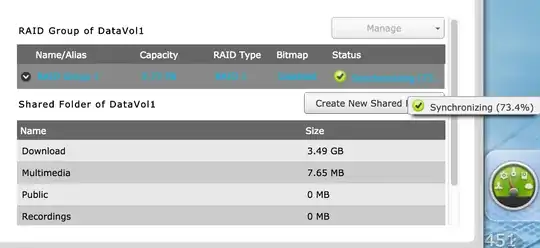
enter image description here

Steve Bennett
  • 2,203
  • 6
  • 21
  • 25

1 Answers1

4

Apparently you just created the array. The copying of files has nothing to do with it. Both disks are supposed to always contain the same data, so when you first create the array, the entire contents of the first drive has to be copied to the second to ensure they are identical. After that finishes, then writing data just writes to both drives at the same time.

psusi
  • 17,007
  • 3
  • 40
  • 51
  • But that's not what's happening. The creation (and initial synchronisation) was very fast - a few minutes. But since then, it's very slow - something like 36 hours since I first started copying 1TB on. – Steve Bennett Jan 08 '15 at 22:37
  • @SteveBennett, there is no way the initial sync only took a few minutes for a TB+ size array. 6-18 hours maybe, not minutes. – psusi Jan 08 '15 at 23:35
  • For empty disks? Ok. But in any case, I previously did a Time Machine backup to there, and it then slowly synced to completion. Now I copy another 1TB onto the disk, and again, a very slow sync process afterwards. Although I did inadvertently force-shutdown the NAS (sigh: 1.5 seconds on power button = soft shutdown, 5 seconds = hard), so maybe that has triggered the need for a complete resync? – Steve Bennett Jan 08 '15 at 23:54
  • 3
    @SteveBennett, there is no such thing as empty. Disks always contain some kind of data, whether you assign any meaning to it or not. Yes, a force-shutdown would trigger a full resync, unless you have bitmaps enabled ( but they cause a slight loss of write performance ) – psusi Jan 09 '15 at 00:09
  • Ah, ok. I guess that's the actual issue here. – Steve Bennett Jan 09 '15 at 00:45
  • RAID does not know that there is no data there. It does not work at the file system level. So syncing copies the main drive(s) to the mirror drive(s) upon creating the array first time or switching to spare drive or when you changed defective drive. – Paul-Sebastian Manole May 10 '16 at 13:07