I'm using Kali linux on vmware in windows7. I've been trying to crack my wpa password and noticed that when I leave the system running (in process of cracking password) and leave the laptop on and go away for about 10-15 minutes, Kali linux goes to sleep and I am not sure if the cracking process with reaver is still running or not. When I click onto the page a box comes up prompting me to type in my username and password. When I type that in it logs me back on but my screens that were left open cracking the password are no longer there and everything starts freezing up a lot. The mouse is freezing and if I try to click on anything there is a massive delay before anything happens or nothing at all.
Also there was no option prevent screen going in an inactive state infinitely..(lock and brightness-maximum time 1 hour)
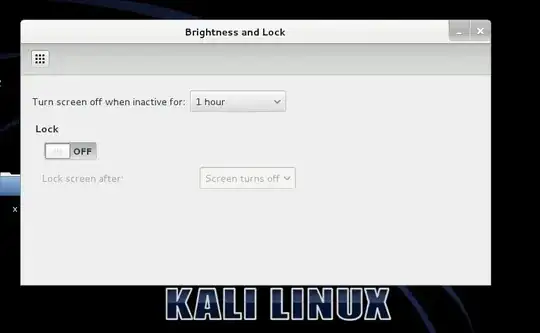
I've since had to switch back to backtrack to do my cracking and has been running perfectly and does not go to sleep when left for long periods.
- Now what I'd like to know is how can I prevent kali linux from going to sleep and closing my work that's in progress?
Any help on this issue would be appreciated.


