Background
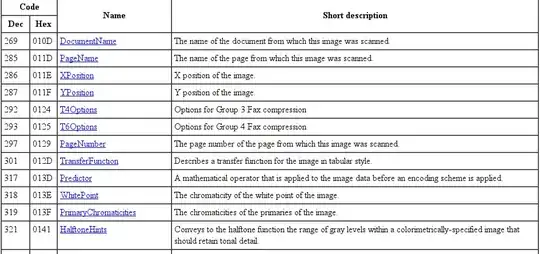
The TIFF files format is a container format, with items in the container with a specific length and identifying TAG. How to interpret these items is depending on the TAG, a whole list of them was specified in the Aldus documentation, and there are vendor specific extensions, some of which are in the list that @slm pointed to, but this list is not exhaustive.
feh, should be able to ignore items with an unknown TAG¹. The TIFF specification is at version 6.0 and that is from 1992, so that aspect of reading the file format should be easy.
feh is more likely to have problems with data in some of the normal TAGs, e.g. with trying to access compressed data in random access mode, or no support for (compressed) tiled image data. These kind of problems have been reported on the internet before although this seem to have been related to files having the unknown tags as well. TIFF 6.0 already had support for LZW compression of image data, which not all reading programs supported. It is normally possible to convert from compressed TIFF to non-compressed TIFF (and back). We used to have our own converter because none of the available programs supported the compressed tiled format we needed for optimising our ray-tracing program.
How to proceed
You should try to use gimp to read the files and write them non-compressed. AFAIK gimp uses libtiff (you might have to install support for the format as a plug-in). And feh uses libim2.
Use tiffinfo on the file before and after the "expansion" through gimp to check if anything else was deleted.
Another thing to do is check is whether the camera supports settings for saving to differing TIFF file formats (compressed/non-compressed etc), experimenting with that might help you find that the unknown tags stay, but that the files become usable. Of course that doesn't help you with these problematic files.
¹ I have created TIFF files with non-registered tags, that only our own software could interpret. Other software we used had no problem ignoring this, and that was 21 years ago.
² This was not because of technical difficulties, but because of copyright restrictions, in the same way that it could be problematic to support GIF files in an application.