I have a monitor connected to my machine that displays odd behavior when entering power saving sleep mode. When entering sleep, the monitor will alternate between blanking and displaying a default desktop wallpaper (the KDE 4 default, which is not what I'm using). This monitor is connected to my machine via an active displayport to DVI single link adapter and a DVI cable. The monitor did not have this issue when previously connected directly to DVI or via an HDMI->DVI cable. I wan't to fix this so that the displayport monitor properly sleeps with the others.
To illustrate what I'm seeing, here is my normal desktop:

The monitor in question is the rightmost 25% of this image.
This is what I see when the displays sleep:

What you are seeing here are the middle two monitors sleeping properly, the TV complaining about no signal (proper) and the right-most monitor displaying the default KDE wallpaper. This monitor will alternate between blanking and displaying this wallpaper. It wakes up normally when it is supposed to. It does not matter which monitor is connected here -- this monitor behaves when connected via HDMI or DVI and any of the other monitors misbehave when connected to the displayport adapter.
I'm suspecting this issue is related to KDE and its interaction with the nvidia driver. Supporting this speculation is the state of the display configuration app in KDE. I manually set it to this state:
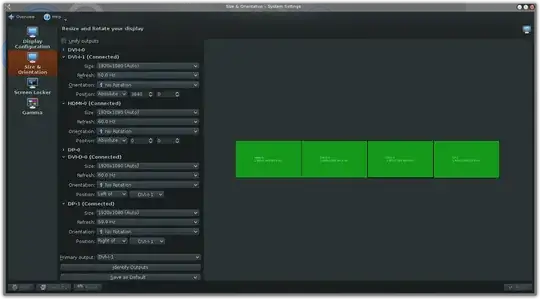
But after sleeping it always ends up in this state:
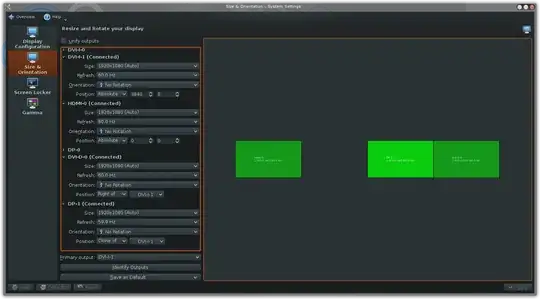
The differences here are that the positions of the right-most (DP) monitor and the 2nd left monitor (DVI-D-0) are misrepresented. Notable the DP monitor is marked as a clone of another. Nothing changes with the actual displays or usability though, which is good, but a bit confusing.
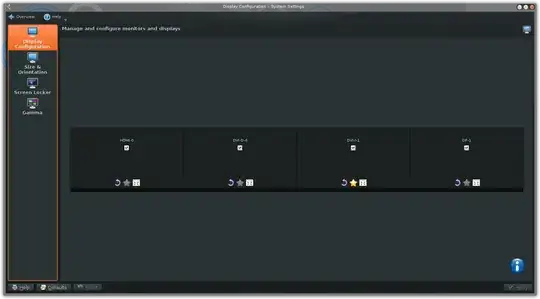
Oddly, no matter what this tab is showing, the other display tab in the app is always the same:
A bit about this setup:
- Nvidia proprietary driver 340.17
- Xorg 7.4-r2
- KDE 4.13.2
- KWin 4.11.10-r1
- Nvidia GeForce GTX 770 with 4 attached monitors
- 2xDVI, 1xHDMI, 1xDP (converted to DVI with active adapter)
Here is the part of the xorg config generated by the nvidia-settings app:
Section "Screen"
    Identifier     "Screen0"
    Device         "Device0"
    Monitor        "Monitor0"
    DefaultDepth    24
    Option         "Stereo" "0"
    Option         "nvidiaXineramaInfoOrder" "DFP-0"
    Option         "metamodes" "DVI-I-1: nvidia-auto-select +3840+0, HDMI-0: nvidia-auto-select +0+0, DVI-D-0: nvidia-auto-select +1920+0, DP-1: nvidia-auto-select +5760+0"
    Option         "SLI" "Off"
    Option         "MultiGPU" "Off"
    Option         "BaseMosaic" "off"
    SubSection     "Display"
        Depth       24
    EndSubSection
EndSection
I want this display to sleep properly. I am out of phyiscal ports on the video card so one of the monitors must be connected via displayport and as none of my monitors support displayport, I must use an (active) adapter. Because of this, I am not looking for answers that just tell me to use a different port or to buy a displayport monitor. What I am looking for is any information on what may be causing this display to not sleep and anything I can do to fix it.

