5

Currently I have successfully used wmctrl -r :SELECT: -t 2 but something like wmctrl -r -i 0x03e00003 -t 2 does not work. How should I write the command in order to select the window to be moved by ID not by mouse?

I am using Linux Mint 13 with the default MATE DE .

I have also tried wmctrl -i -r 0x03e00003 -t 2

EDIT1: wmctrl -i -r thewinIDInHexa -t 2 works now. The reason why it did not work is that while the first time i experimented with wmctrl i used the right ID but wrong syntax, the 2nd time i used the correct form but the wrong window ID... the thing is the ID was non-existent and wmctrl does not output any message for non-existent IDs. Thank you for your efforts. Having confirmation that i was in fact using the right form for the command pushed me to double check the IDs. Thank you again

EDIT2: since i am unable to comment i will post here the response to @slm : the correct ID now is 0x0380000f

wmctrl -v -i -r 0x0380000f -t 2


envir_utf8: 1
Using window: 0x0380000f

VLC is moved to workspace #2 (3rd workspace)

for the ID that is actually non-existent we have pretty much the same thing:

wmctrl -v -i -r 0x03a00003 -t 2 

envir_utf8: 1
Using window: 0x03a00003
user293496
  • 77
  • 2
  • 6
tardem
  • 53
  • 1
  • 4

1 Answers1

8

Perhaps you're getting confused with the -t # switch. The windows are numbered as starting with a 1 but the first window is actually number 0. Notice in the output of wmctrl -l:

$ wmctrl -l
0x00c00028 -1 grinchy Top Expanded Edge Panel
0x0120001e  0 grinchy x-nautilus-desktop
0x06015fee  0 grinchy saml@grinchy:~
0x06000004  0 grinchy saml@grinchy:~
0x05a000d1  0 grinchy xorg - How can I get information about my virtual desktops via the command line? - Unix & Linux Stack Exchange - Google Chrome

The 2nd column is the number of the desktop. So when you're using -t 2 it's actually putting the window -r 0x03e00003 on the 3rd desktop, not the 2nd.

Example

Evince PDF window starts on desktop #1 (0):

$ wmctrl -l | grep 0x03a00003
0x03a00003  0 greeneggs.bubba.net Packt.Puppet.3.Beginners.Guide.pdf

Move it to desktop #3 (2):

$ wmctrl -i -r 0x03a00003 -t 2

Confirm:

$ wmctrl -l | grep 0x03a00003
0x03a00003  2 greeneggs.bubba.net Packt.Puppet.3.Beginners.Guide.pdf

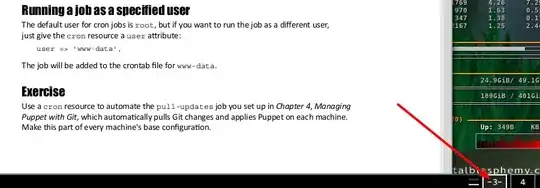
Notice which window it's on though:

    ss #1

It's on desktop #3!

References

slm
  • 363,520
  • 117
  • 767
  • 871
  • thank you for the info and the effort you put into your answer but i knew the desktops start from 0. That was not the issue ( i would have noticed when using `wmctrl -r :SELECT: -t 2` ). The issue is `wmctrl -i -r 0x03a00003 -t 2` does not do anything for me.... – tardem Jun 15 '14 at 07:56
  • @tardem - OK, thought that might be the issue. What does the verbose switch show when you run this command? `wmctrl -v -i -r 0x03a00003 -t 2`? – slm Jun 15 '14 at 12:51