When dealing with aspell if you're not sure where things are stored it's best to consult its configuration to find out.
$ aspell --lang=en dump config | less
The 2 items that will tell you where the added words are ending up are as follows:
# home-dir (string)
#   location for personal files
# default: <$HOME|./> = /home/saml

# personal (string)
#   personal dictionary file name
# default: .aspell.<lang>.pws = .aspell.en.pws
So with this information in hand you can consult the file $HOME/.aspell.en.pws. Which contains the added words.
Example
Now say we have this file.
$ cat sample.txt
smurf
loook
Now we spell check the file, sample.txt.
$ aspell -t -c sample.txt
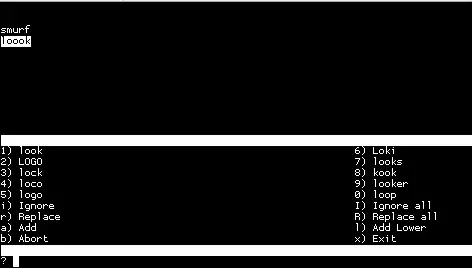
So we add the word loook, in the same manner you've described, using a with the word selected.
Now if we consult the file mentioned above.
$ cat .aspell.en.pws
personal_ws-1.1 en 1
loook
References


