I am connecting to a cluster with the window manager as in the picture. Does anybody know which WM it is? It does not have even a menu I can open like in twm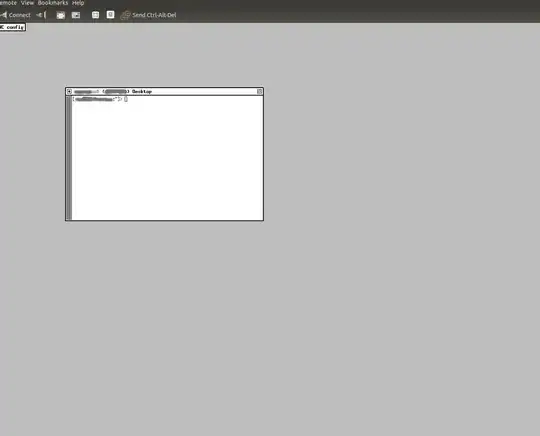
Asked
Active
Viewed 505 times
1

simona
- 1,001
- 3
- 13
- 27
-
twm has a menu if you configure one. – Stéphane Chazelas Feb 03 '14 at 16:20
-
cool, how do I do that? – simona Feb 03 '14 at 16:21
-
It could be a lot of different window managers; try `ps axl` from that terminal. – Elliott Frisch Feb 03 '14 at 16:21
-
@ElliottFrisch and what should at look in the output? – simona Feb 03 '14 at 16:22
-
On your initial login, how many processes do you have? – Elliott Frisch Feb 03 '14 at 16:23
-
@ElliottFrisch I run ps xl -u
and I get 9 processes, of which one is called twm – simona Feb 03 '14 at 16:28 -
but in twm if u click with the mouse you can open a menu, here I don't even manage to resize xterm – simona Feb 03 '14 at 16:29
-
2@simona Then you're using `twm` - the tabbed window manager; You might prefer one of the `twmrc` files [here](http://xwinman.org/vtwm.php). – Elliott Frisch Feb 03 '14 at 16:29
-
this was due to a mistake in the configuration file – simona Feb 03 '14 at 16:39
1 Answers
3
That looks like good old twm, which a lot of X systems will use as their Window manager when installed in "minimal" mode. It is possible to make windows to launch applications and what not in these old school Window managers, but, in the classic UNIX tradition, it requires editing text files to pull off.
The file to edit is ~/.twmrc or, equivalently, $HOME/.twmrc, and, as Elliott pointed out, there are a few example template twmrc files available online.
Further reading:

samiam
- 3,616
- 1
- 14
- 15