Is there any tool to set appearance for GNOME Debian 7.2.0? I feel title bar is too thick and font is too big. I'm just leaving Ubuntu for Debian, so I'm not so familiar with it.
Asked
Active
Viewed 2.0k times
6

-
Please be more specific. What exactly would you like to customize about appearance? Which version of Debian are you using (try `cat /etc/debian_version`)? Does this relate to GNOME or GNOME 3 (two very different beasts)? – Joseph R. Jan 27 '14 at 04:19
-
@JosephR. Could you please see my edit? – zhangwfjh Jan 27 '14 at 04:21
2 Answers
8
There are several things you can do to improve the title bars in GNOME 3.
1. padding
The setting for the padding is controlled in this metacity XML file, /usr/share/themes/Adwaita/metacity-1/metacity-theme-3.xml.
Open a terminal window
$ sudo sed -i "/title_vertical_pad/s/value=\"[0-9]\{1,2\}\"/value=\"0\"/g" \
    /usr/share/themes/Adwaita/metacity-1/metacity-theme-3.xml
Hit Alt+F2
- type
restart - hit Enter
Example
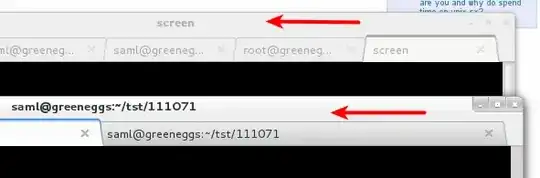
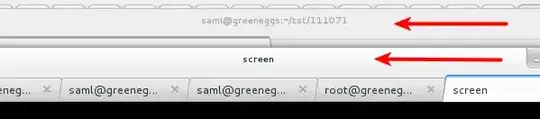
before
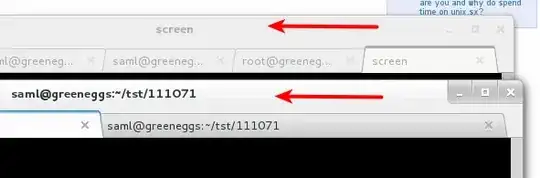
after
2. gnome-tweak-tool
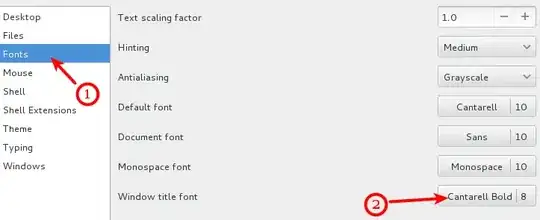
This tool allows you to customize the font that should be used for the title bar.
$ gnome-tweak-tool
screenshot
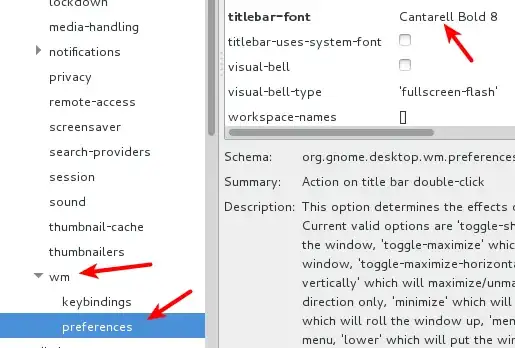
3. dconf-editor
You can also change it using dconf-editor.
$ dconf-editor
Then navigate the hierarchy like so:
org > gnome > desktop > wm > preferences :: titlebar-font
screenshot
4. gsettings
You can use the get and set commands to gsettings to find out what title bar info is being used.
get setings
$ gsettings get org.gnome.desktop.wm.preferences titlebar-font
'Cantarell Bold 8'
set settings
$ gsettings set org.gnome.desktop.wm.preferences titlebar-font 'Cantarell Bold 10
$
References


0
If you're using Gnome3 (and the Gnome shell), you might like some the shell extensions available from the gnome project that are available to alter its default behavior and feel.
I realize this response doesn't tackle your question directly, but I found several useful extensions that removed various annoyances with the default behavior of Gnome3.

Geeb
- 2,061
- 2
- 16
- 17