7

I just installed Fedora 19 in VirtualBox using an image from virtualboxes.org.

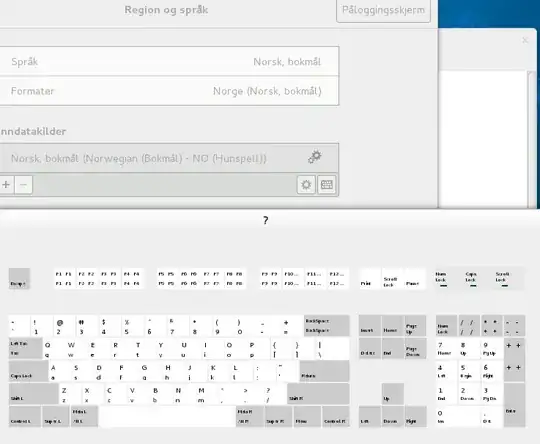
However, I'm unable to select a proper Norwegian keyboard. When I open the keyboard layout, it shows an US layout. A Norwegian layout should have Æ, Ø, Å keys and a lot of other stuff.

Keyboard Layout

neu242
  • 1,650
  • 2
  • 13
  • 17

2 Answers2

12

There are a methods to do this. After installing the keyboard configuration package:

$ sudo yum install system-config-keyboard
...
Installed:
  system-config-keyboard.x86_64 0:1.3.1-14.fc19

Dependency Installed:
  system-config-keyboard-base.x86_64 0:1.3.1-14.fc19

2 packages will get installed.

Method #1

From here you can then invoke system-config-keyboard directly:
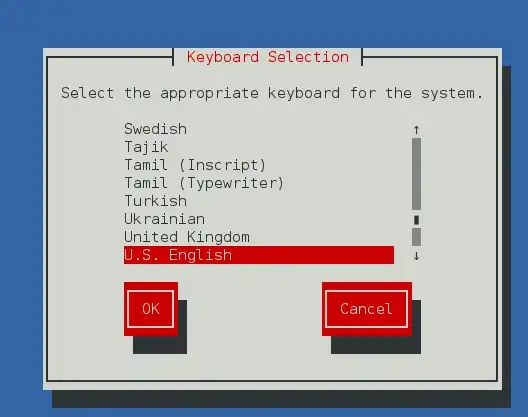
            ss of dialog #1

Method #2

Via the command tool setup.

$ sudo setup
[sudo] password for saml: 
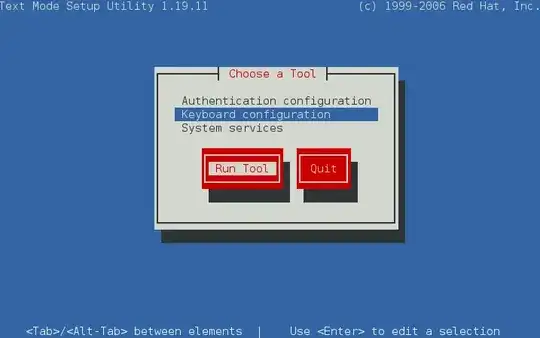
ss of dialog #2

Selecting Keyboard configuration will take you to the keyboard configuration (same as above).

Method #3

Through the GNOME 3 settings you can also change the keyboard like so.

Open up Settings and select Keyboard:
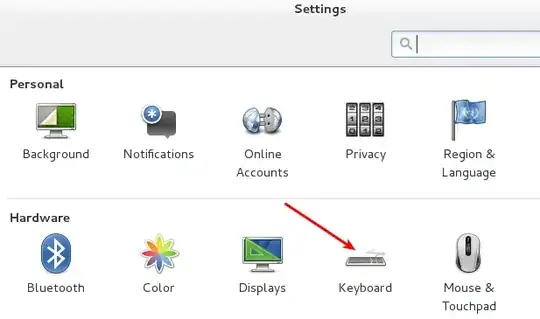
   dialog #1

Select Input Sources:

   dialog #2

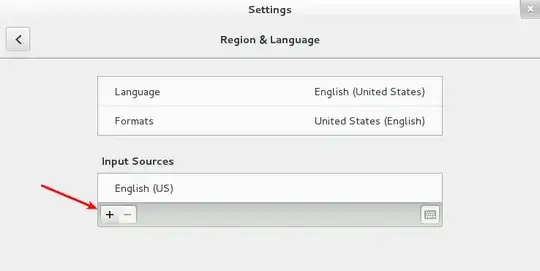
Select the plus (+), to add a new source:
   dialog #3

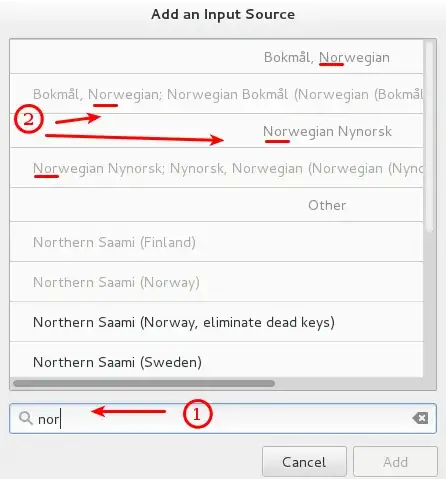
Type the name of the layout you want, in your case it's "Nor..".
                        dialog #4

Method #4

Via the command line you can also change the keyboard layout using the tool localectl. To get a list of keyboard layouts, use the switch list-keymaps. This method was found here on the ask.fedoraprojects.org site, titled: Change default system keyboard layout for virtual console..

Example

$ localectl list-keymaps
ANSI-dvorak
af-fa-olpc
af-olpc-ps
af-ps
af-uz
af-uz-olpc
am-eastern
...

Once you've identified the layout you want.

  • change console keymap: localectl set-keymap jp106
  • change x11 keymap: localectl set-x11-keymap jp

NOTE: The set-x11-keymap options are much more flexible, see the manpage for instructions on listing the available parameters.
slm
  • 363,520
  • 117
  • 767
  • 871
  • Method #3 was the one I tried first, as you can see on my screenshot. Didn't work. – neu242 Dec 08 '13 at 21:51
  • @neu242 - OK, these are the methods that I've seen used in the past, I was capturing them here as a single spot, since they're fractured all over the internet. Was there any additional info w/ #3 that would show why it didn't work? Perhaps running that applet from a terminal window would show an error message? – slm Dec 08 '13 at 22:59
  • No error messages, it just showed the US layout. It seems to depend on system-config-keyboard, then it worked as it should. – neu242 Dec 09 '13 at 07:48
  • @neu242 - seems strange to me, that that GUI doesn't appear to have any effect on the settings. Oh well. – slm Dec 09 '13 at 08:06
4

I figured it out eventually:

  • yum install system-config-keyboard
  • Run system-config-keyboard as root
  • Select Norsk (aka Norwegian)

Now the correct keyboard layout shows up in the Settings GUI.

neu242
  • 1,650
  • 2
  • 13
  • 17